
Confirm the update is the change to reverse
Record the plugin name, installed version, last working version and the action that broke. Check its official release notes for a fixed release before choosing a downgrade. If the earlier version has a known unresolved security issue, ask the author for a supported repair or keep the affected feature unavailable while arranging help.
When the dashboard is blocked, use targeted deactivation or Recovery Mode first. Deactivation restores a route to the dashboard in the applicable cases, but the plugin's feature remains off.
Preserve both states and check data compatibility
Take a current files-and-database backup and retain the backup from before the update. Ask the vendor whether the newer release changed stored data and whether the intended older version supports that state. A rollback tool or upload screen cannot make that compatibility decision for you.
Test on a staging copy. If a matching older database must be restored, follow the restore guide and account for newer orders, forms and edits first. Do not overwrite live commerce data just to restore plugin files.
Obtain the exact earlier package
Use the plugin author's account or official download archive. Directory plugins can expose previous versions through Advanced View on their WordPress.org listing, but availability is not a recommendation to install them. Confirm the version with the author and keep its release notes.
The required package is the installable plugin ZIP, not a theme archive or a bundle containing documentation. Preserve any custom changes before replacing files; custom code inside a vendor plugin needs a developer's review. Do not download an old premium package from an unrelated mirror.
Replace the plugin through the dashboard
Follow this route only after the earlier package and current data have been confirmed compatible. Perform it on staging first and keep hosting File Manager available.
- Open Plugins > Installed Plugins and deactivate the affected plugin. Do not choose Delete, which can run its uninstall routine.
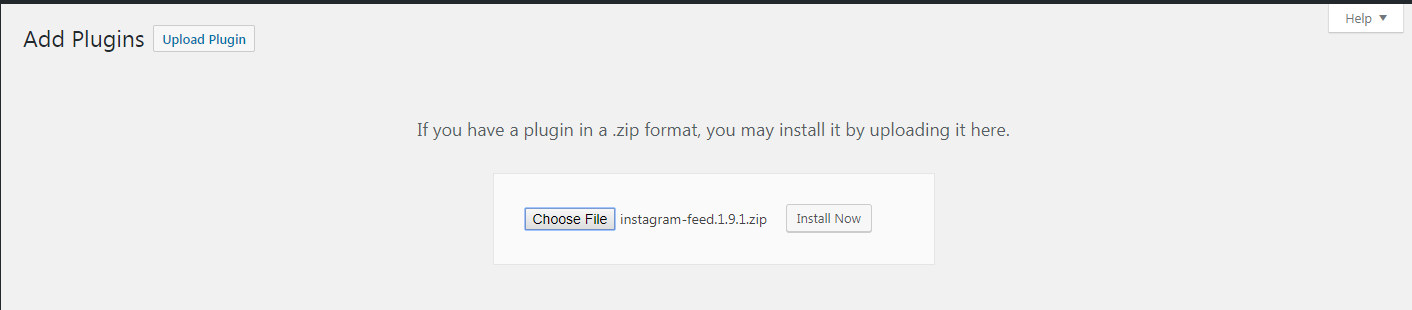
- Go to Plugins > Add New Plugin > Upload Plugin. Choose the verified ZIP and select Install Now.
- Read the existing-versus-uploaded comparison. Confirm the plugin identity and intended earlier version before selecting Replace current with uploaded. Stop if WordPress treats it as a different plugin or shows an unexpected package.
- After successful replacement, confirm the version under Installed Plugins. Activate it and complete only the vendor-documented steps for that rollback, then test the originally failing action.
Use hosting help if file replacement cannot finish
For an upload or permissions failure, give the host the exact message and verified package. They can replace the deactivated plugin's directory while preserving a private copy and avoiding a mixture of old and new files. Do not delete the plugin through WordPress merely to get past an upload error.
Some vendors provide their own rollback control. Use its documented prerequisites and scope rather than assuming it restores the database too. The same compatibility and backup checks still apply.
Verify recovery and plan the supported update
Confirm the affected feature, dashboard and public pages work. For a shop, test totals and the payment flow using the gateway's documented test procedure. Inspect stored content or settings the plugin manages and compare with the expected records.
If the older version fails too, stop alternating releases. Keep the affected feature contained and give the author the results. After a successful staged rollback, repeat the confirmed process live with a fresh backup and the required maintenance controls.
Prevent an automatic updater from immediately reinstalling the failing release only while someone owns the follow-up. Check both WordPress and hosting update controls, record the temporary exception and restore the chosen update policy once a compatible fixed release passes the update checks.
Official reference
WordPress documents plugin management. Its upload replacement screen compares installed and uploaded packages; the plugin author must confirm data compatibility.
Get help with the next step
If the update changed shop data or you cannot confirm a compatible rollback, ask BugShield to plan the recovery. Share the versions and failure so a developer can assess the options before live records are replaced.