
Match the restore method to the backup
A hosting snapshot belongs in that host's restore system. An UpdraftPlus backup belongs in UpdraftPlus. A manual SQL export and file archive need a manual restoration. Renaming an archive or uploading it into a different plugin does not convert its format.
This guide covers restoring to the same website address. For another server, follow the hosting migration guide. A different domain also needs a deliberate URL change, rather than assuming a restore will update every link.
Choose the next check from the evidence
For a trading store, follow the WooCommerce recovery guide before replacing the database. Orders placed after the backup need their own preservation and reconciliation plan.
1. Choose a recovery point and preserve the current state
Find the last backup from before the problem began, then confirm the site address, timestamp and available components. Files and database should belong to the same backup set. For an infection, an earlier date does not prove a backup is clean; recovery also needs investigation of how the site was compromised.
Download the chosen backup if possible and save the current site separately, even if it is broken. Record the time at which you stop editing. Ask the host to restrict public access for the restoration window while preserving your administrative access. On a shop, pause new purchases and coordinate incoming payment notifications with the person handling recovery.
If the loss would be substantial, restore into a protected test environment first. Keep outgoing emails, payments and integrations disabled there so an old copy cannot act on live customer accounts.
2. Restore a hosting snapshot through the host
For a host-created backup, open the correct website in the hosting panel and find its Backups or Restore area. Choose the recovery date and inspect what will be replaced. Select both files and database for a full-site recovery. An account-level restore can also replace email or other sites, so do not confirm it unless that wider scope is intended.
Read the confirmation, start the restore once and wait for the host's completion status. If the panel does not clearly state the target site, included data or timestamp, ask support to confirm those details before proceeding. After a reported success, continue to the verification section below.
3. Restore an UpdraftPlus backup when the dashboard works
Use this alternative only for a backup made with UpdraftPlus. Other plugins have their own restore screens and archive requirements. If UpdraftPlus is missing, install and activate it first.
Check the backup's scope before selecting components. A standard set does not necessarily include WordPress core files or wp-config.php. If the fault affects something absent from the backup, ask the host to recover that component separately.
- Open Settings > UpdraftPlus Backups and find Existing backups on the Backup / Restore screen.
- If the set is on your computer, choose Upload backup files and upload every component from that date without renaming or extracting the archives. Wait until they appear together in the list.
- Select Restore beside the correct backup. For recovery of the full saved set, select its database, plugins, themes, uploads and other included components, then continue with Next or Restore, depending on the screen.
- Read the preparation results. Stop on a missing archive or failed validation. If the set is ready, confirm Restore and leave the window open until completion.
- Return to WordPress and sign in again if requested. Restoring the database also restores the users and passwords saved at that time.
4. Handle a manual backup or inaccessible dashboard
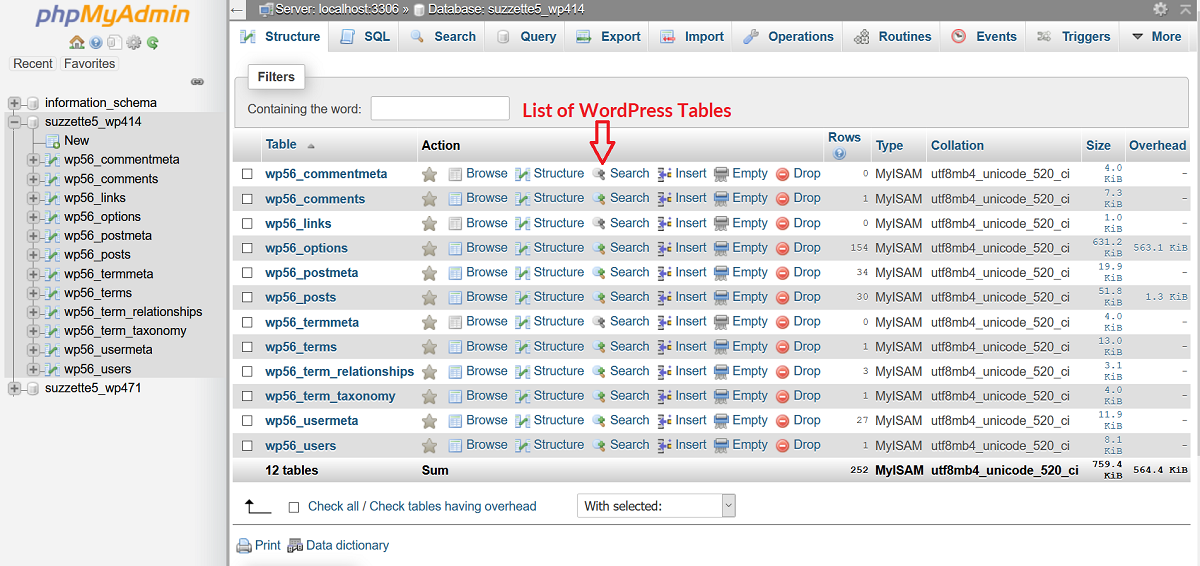
Do not delete the existing website to install a fresh copy over it. Give your host the backup format and ask for restoration into a separate directory and empty database first. They should match the database connection in wp-config.php, restore the complete files and import the SQL export into that dedicated database.
An SQL upload failure leaves an uncertain restoration state. Record the error and ask the host to perform the import; repeatedly importing over partially restored tables is not a reliable recovery method. Keep the original backup unchanged. If the archive came from a plugin, send its name and version so support can use the matching restoration workflow.
5. Test the recovery before reopening the site
- Sign in and check a page edited before the selected backup, then compare its date and content with what you expected to recover.
- Open the homepage, an inner page and several uploaded images in a private browser window. If inner pages return 404, open Settings > Permalinks and save the existing structure without changing it.
- Clear the relevant WordPress and hosting caches. Submit a test form to your own address and verify receipt.
- For a shop, reconcile recent orders with the payment provider before reopening checkout. A restored order list does not undo payments already taken.
- Resolve the original cause before retrying the change that broke the site. Restore normal access only after these checks, and take a fresh backup of the recovered state.
Official references
See the UpdraftPlus restoration walkthrough and the WordPress handbook's database backup and restore guidance.
Get help with the next step
If the backup is incomplete or you need to preserve new orders, ask BugShield for restoration help before overwriting the current site. Share the backup dates and format so we can help choose the next step.