
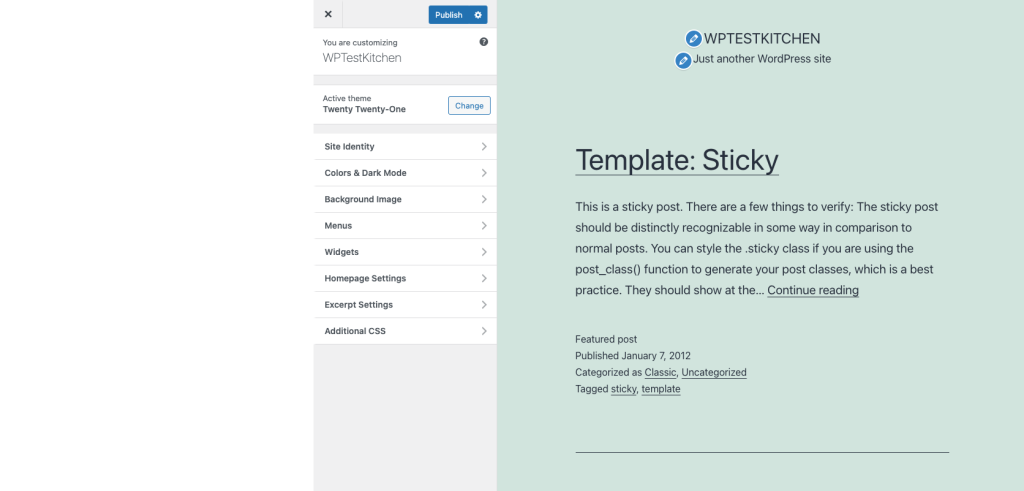
Check whether your theme uses the Customizer
Open Appearance in the dashboard. If you use a block theme, Appearance > Editor provides site templates and styles. WordPress does not expose the Customizer for a block theme unless another theme or plugin feature requires it. A missing Customize menu alone is therefore not evidence of a fault.
For a classic theme, open Appearance > Customize. Note whether the controls fail to appear, the preview stays blank, or publishing a change fails. Record the theme version and any recent update. If the entire dashboard is unavailable, start with the critical-error recovery guide.
Try a fresh session without changing the design
Preserve any unsaved settings separately, then open a private browser window with extensions disabled and sign in again. Load the Customizer from the dashboard rather than an old preview link. If it works there, investigate the original browser's extensions and site data.
Open the normal public homepage in another tab. If that page also fails, follow the guide for its visible error before changing Customizer settings. For a preview-only failure after an HTTPS or domain change, compare the requested preview address with the site's configured address using the URL guide.
Capture the preview or save failure
Use the browser request guide to open Chrome's Developer Tools. In Network, choose All, reload the Customizer and inspect the request that fails at the same time. For a publishing failure, repeat a harmless setting change on staging and inspect that save request.
Record the request path, status and short error message privately. A 403 needs the access-refusal checks; a 500 needs the server-error checks. If the browser reports that the preview cannot be displayed in a frame, ask the host to check its security headers and the preview's domain. Do not remove all security headers to unblock it.
A PHP memory message needs memory troubleshooting. Without that message, the blank preview does not establish that raising memory will fix it.
Test theme extensions and optimisation on staging
Take a backup and create a staging copy. Confirm its preview fails before starting the plugin conflict test. Keep theme-required plugins active so the controls you need still exist.
Record any recently changed script-optimisation option and test reversing that option on staging. Ask the caching provider to confirm admin and preview requests are not being served from a public page cache. If a theme extension is responsible, test its documented compatible update before changing live settings.
When the failure occurs with the theme's minimum supported setup, send the theme author the versions, error and reproduction steps. A comparison with another classic theme on staging can narrow the cause, but its different controls do not replace the original theme's settings.
Confirm preview, publication and persistence
On staging, change one harmless visible setting and check the preview updates. Publish it, close the Customizer and confirm the public page shows the change while logged out. Reopen the Customizer to verify the value was saved, then restore the original setting.
Apply the tested repair live with a fresh backup and repeat the same controlled check. Restore diagnostic options that did not help and turn off any temporary logging. A preview that loads but cannot publish is still an unfinished repair.
Official reference
WordPress documents the Customizer and explains why block themes use different editing controls.
Get help with the next step
If the preview or Publish action still fails, ask BugShield to investigate the theme editor. Tell us which part fails and which theme is active so a developer can assess the next step.