
Protect unsaved work and refresh the session
Copy unsaved text into a private document before refreshing the editor. For a form or payment action, check whether it already completed before pressing the button again. Record the exact action, page and time, plus any visible error.
Open a new tab at your normal HTTPS dashboard address and sign in again if prompted. Return to a fresh copy of the affected screen and try with a test draft. WordPress uses time-limited request checks called nonces; an old open tab can submit a check that is no longer valid. Never remove that protection to make a request pass.
Try a private browser window with browser extensions disabled. If it works there, investigate that browser's extensions and site data first. If the problem remains, use the request check below or give the recorded action and time to support.
Find the failed request in Chrome
This inspection reads what the browser already sends; you do not need to write or paste code. Request details can contain private information, so do not share a full network export publicly.
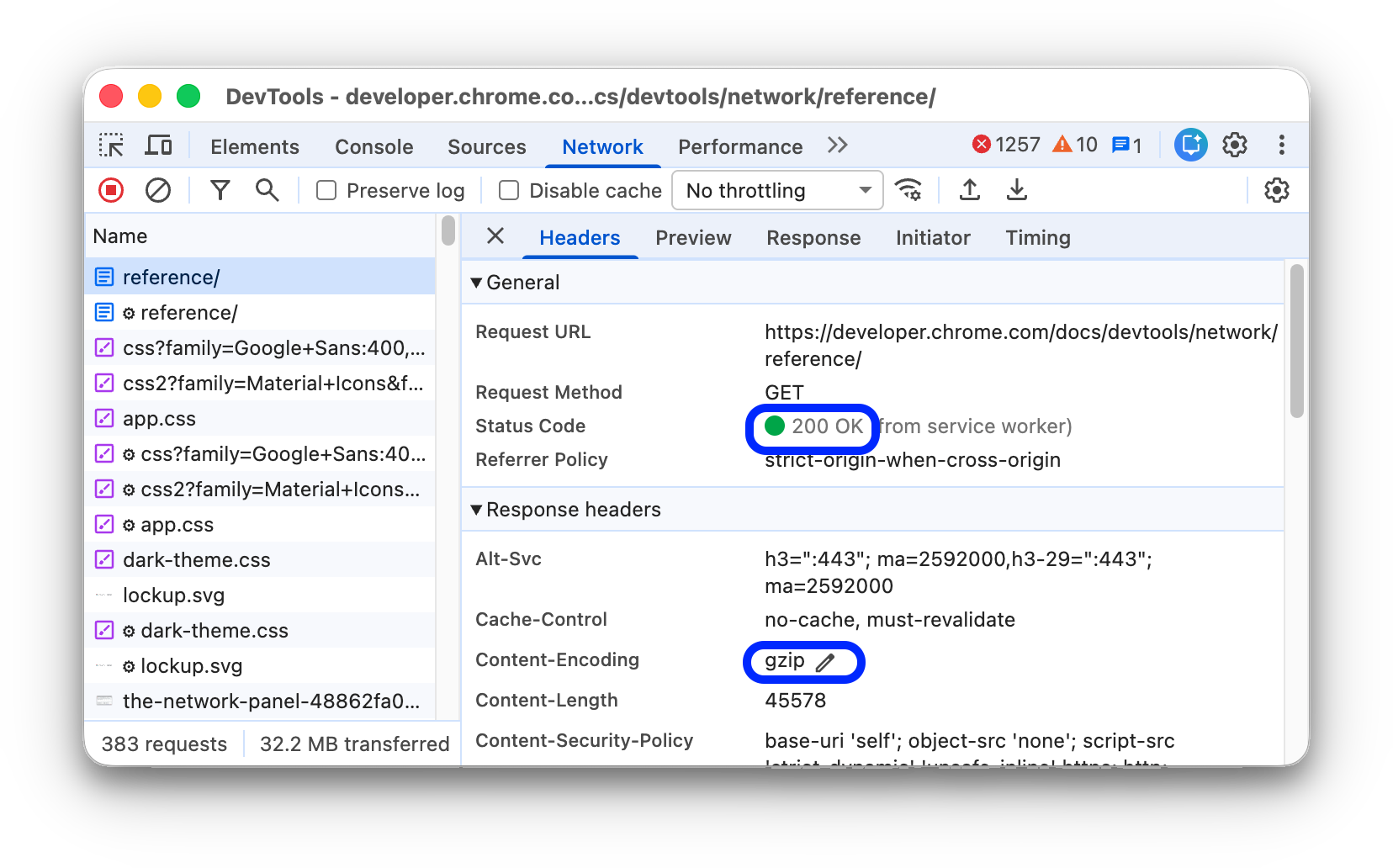
- Open the affected screen. In Chrome's menu choose More tools > Developer tools, then select the Network tab.
- Select Fetch/XHR to focus on background requests. Clear the request list using its clear control, then reproduce the problem once with test data.
- Look for the request created at that moment. Classic WordPress AJAX uses
admin-ajax.php; other editor and plugin actions use addresses containingwp-json. Do not assume every admin failure uses the same endpoint. - Select the request and read Headers for its request address and status code, then Response for a short error message. Record only the path, status, error text and time, excluding cookies, tokens and customer details.
Use the response to choose the next step
- A login page or a failed request-check message calls for the fresh-session test above. WordPress can return
-1when rejecting a nonce, but the specific plugin's handling must be checked. - For a
403response, follow the forbidden-error guide. Have the host or firewall provider trace the exact request before creating an exception. - Investigate a
500response through the matching PHP or server log. Follow the server-error guide, using private logging only when needed. - Status
200means HTTP success, but the response can still contain an application error or unexpected page. Check the response and whether the intended save actually happened. - If no request appears, the button's browser code may have failed before sending anything. Record any red error in the Developer Tools Console tab and give the message to the plugin author; do not paste suggested console commands.
Test the component that owns the action
Take a backup and reproduce the fault on a staging copy. Follow the conflict guide, keeping the plugin responsible for the button or editor active. Removing that plugin also removes the action and cannot demonstrate a repair.
If a recent optimisation change is involved, record its settings and test reversing only that change on staging. Ask the caching provider to confirm dashboard pages and personalised requests are excluded from page caching. Purging public page caches alone does not correct a cached or redirected admin request.
After a domain or HTTPS change, compare the dashboard address with the configured WordPress address using the URL guide. Do not change working URLs without evidence or add a blanket cross-origin exception. The request can be failing because it points at the old domain.
Verify saved data, uploads and session recovery
Repeat the original action with a test draft, reload the screen and confirm the saved value persists. For a media problem, upload a small permitted test image, confirm it appears in the library and can be inserted into a draft, then remove the test item if no longer needed.
Test again after signing out and back in. Restore diagnostic changes that did not contribute to the repair and turn off temporary logs. Give support the isolated plugin combination and response details if the failure remains. Re-saving permalinks is not a general repair for admin-ajax.php, which is a direct PHP endpoint.
Reference material
Chrome's Network panel guide explains request inspection. WordPress documents nonces and the behaviour of AJAX request verification.
Get help with the next step
If saving or uploading still fails, ask BugShield to trace the admin error. The failed action, response status and recent changes give a developer a useful starting point without requiring you to debug PHP.