
Compare the editor with the public page
Capture the affected page at desktop and mobile widths, then open it in a private window and another browser. Note whether fonts, spacing, images or an entire template changed. Check another page using the same template and one using a different template.
Open the affected page in its normal editor without saving. If the content is missing there too, follow the revision checks in the blank-page guide. If the editor still shows the intended design, investigate the files and settings used to display it publicly before replacing content.
Record the updated plugin or theme versions and take a current backup. Preserve the pre-update backup separately. A full restore can remove newer orders and edits, so it is not the first response to a spacing problem.
Clear stale generated styles and page caches
For Elementor, first use its own cache-clearing control so regenerated styles can match the saved design. The current documented route is Elementor > Editor > Home, then Tools in the left panel. Choose Clear Files & Data and Save Changes. Older versions place Tools directly under Elementor and label the action Regenerate CSS & Data or Regenerate Files & Data.
Visit the affected page to trigger the refreshed output, then follow our cache guide to purge the relevant optimisation, hosting and CDN copies. Test logged out again. A CDN is a service that keeps copies of site files on other servers; clearing WordPress alone does not necessarily refresh those copies.
For another builder, use its documented generated-style or cache control. Do not delete random files from uploads or re-save every block template as a general repair. If the control fails or styles disappear again, ask the host and builder support to inspect write access and the failing file request.
Check optimisation and update compatibility on staging
Create a staging copy and confirm the fault is visible there. Record the active optimisation settings. Test turning off one relevant option, such as combining CSS or delaying JavaScript, then regenerate that tool's output and reload the page. Restore options that make no difference.
Check the theme and builder release notes for the installed versions. Elementor and Elementor Pro must be a supported combination, as must any builder add-ons. Complete a vendor-required update process on staging after its backup prerequisites are satisfied. Do not choose an arbitrary old version from a tutorial.
Use the conflict guide for other extensions while keeping the builder and required add-ons active. A theme switch changes the design by definition; it can help isolate a feature failure, but a different-looking replacement theme does not prove the original layout has been repaired.
Trace missing or blocked page files
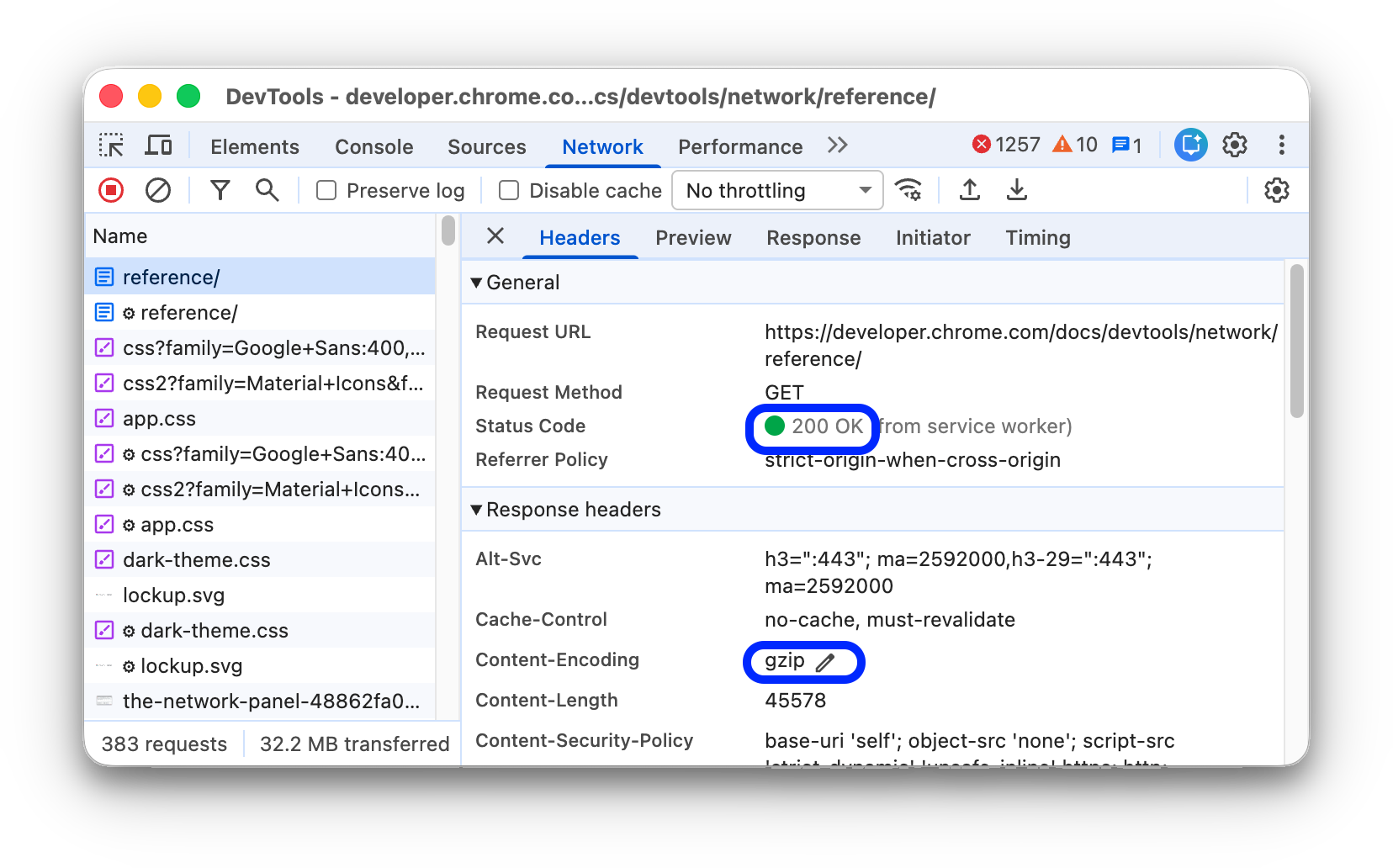
If the design remains broken, ask the host or developer to inspect the affected page's missing stylesheet or script requests. You can collect these with Chrome's Developer Tools Network panel as explained in the browser request guide; select All rather than Fetch/XHR to include styles and scripts.
Restore the source or generated output for a missing file. For a forbidden response, use the 403 checks to trace the refusal. When the browser reports an HTTP file blocked on an HTTPS page, follow the mixed-content guide. Record the exact failed file address rather than adding unrelated CSS overrides.
Roll back only a confirmed incompatible change
If testing identifies an update with no compatible fix, follow the rollback guide. Preserve files and database together, and check whether the update changed stored data before installing older code. A vendor's rollback button does not establish that every newer data change is compatible with the old version.
For a theme update that overwrote custom edits, recover those edits from a known working backup on staging. Have a developer move maintainable custom work into an appropriate child theme or supported customisation control before future updates. Restoring the old theme indefinitely leaves the underlying maintenance problem unresolved.
Verify the design and its working controls
Check the original page while logged out at desktop and mobile widths. Compare the header, footer, fonts and spacing with the intended design, then test menus, buttons, forms and checkout where present. Open another page using the same template and save a test draft in the editor.
Apply only the confirmed correction live, purge its affected caches and repeat those checks. Remove temporary diagnostic changes and record the compatible versions or optimisation exclusion. Keep a working backup before the next update.
Reference material
Elementor documents Clear Files & Data and its layout troubleshooting checks. Follow the equivalent documentation for your own builder.
Get help with the next step
If the editor and live page still disagree, ask BugShield to investigate the layout. Share the affected page, a private comparison image and the update details so a developer can assess the repair without rebuilding the design unnecessarily.