
Choose a suitable place for the copy
Check your hosting panel for a Staging feature first. Ask whether it blocks outgoing email, protects access and separates the copy's database from the live site. A separate database is especially useful for testing database changes. Follow the provider's creation flow if it covers those requirements.
If your host has no staging tool, the plugin method below creates a copy in a subfolder. WP STAGING's free subfolder method uses separate tables in the existing database, so it is not a separate server or security boundary. For destructive database work, a hacked site or a busy shop with external integrations, ask for a more isolated environment.
Choose the next check from the evidence
Once the copy is protected, plan the separate deployment step. The WooCommerce staging-to-live guide explains how to separate approved changes from newer live orders, customers and stock.
1. Prepare the live site before cloning
Take a fresh file and database backup and check available hosting storage. The copy needs additional space for files and data. Pause editing during cloning so the copy represents a consistent point in time.
List services connected to the site: payment gateways, newsletters, accounting, fulfilment, forms and scheduled emails. Confirm how their staging or test mode works before copying an active service. A private URL does not stop background jobs from contacting these services. If you cannot contain those actions during cloning, use a host-managed environment with the necessary outgoing connections blocked first.
2. Create a subfolder copy with WP STAGING
This worked route is for a standard single site. Install the plugin from its official WordPress listing using the plugin installation guide. Check its current compatibility and your host's restrictions before activating it.
- In the live dashboard, open WP Staging > Staging Sites and select Create New Staging Site.
- Choose a short unused name such as
design-test. Inspect the proposed destination and confirm it is a new subfolder, not the live website directory. - For a normal copy, retain the default file and table selections. Do not exclude a table because its name is unfamiliar. Select Start Cloning and wait for completion.
- Open the generated staging link and sign in with your existing WordPress administrator account. Confirm the address includes the staging folder before changing anything. Keep a separate browser window for staging to reduce confusion.
3. Verify access protection and contain test activity
Open the staging homepage and an inner page in a private browser window while signed out. You should encounter the intended login or hosting password protection. If the copy is publicly accessible, stop and ask the host to protect it before continuing. Copy a staging image's direct URL and open that in the signed-out window too. Pages requiring login do not necessarily protect media URLs; host-level protection should cover private files too.
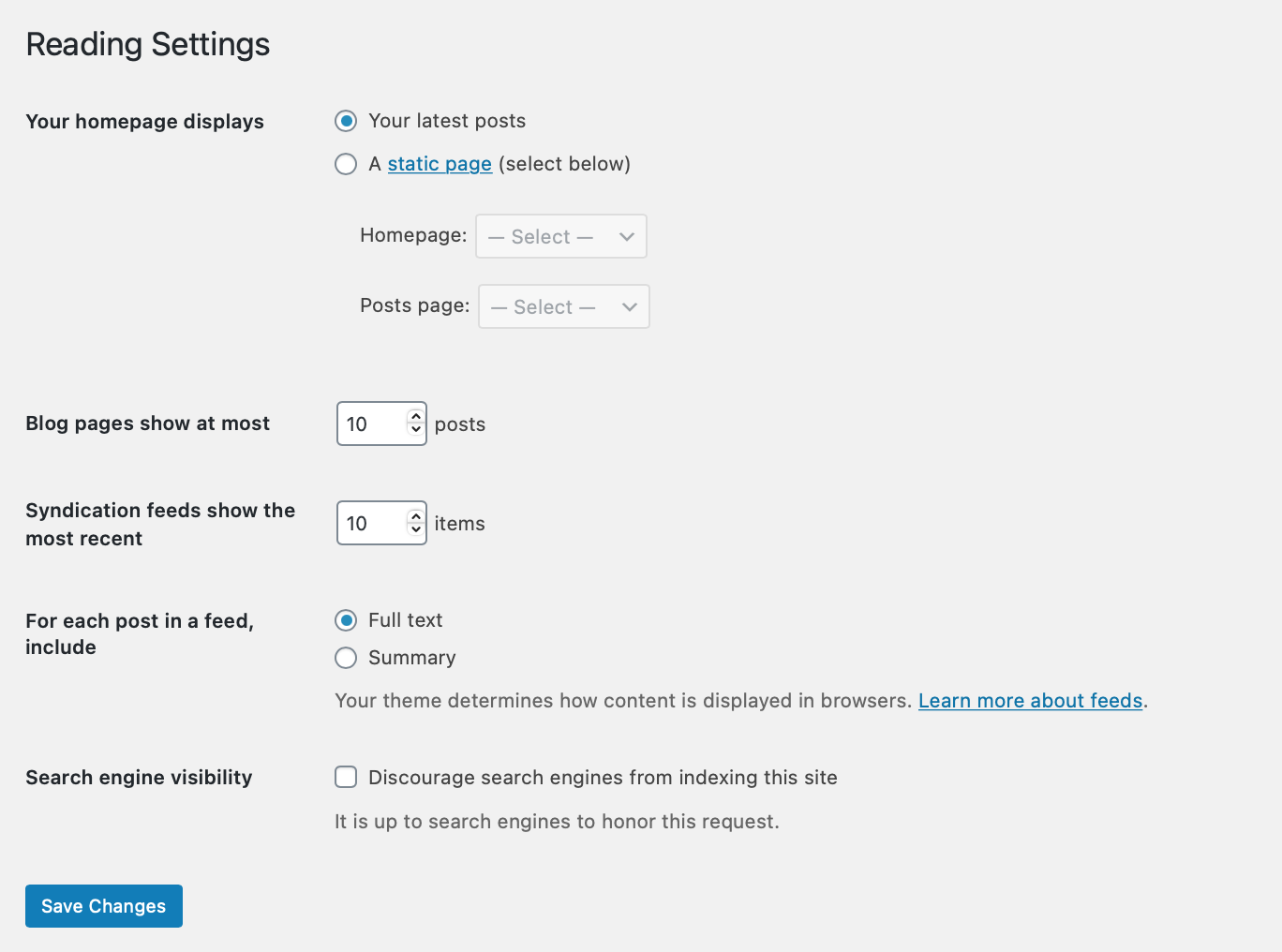
In staging, open Settings > Reading, tick Discourage search engines from indexing this site and save. This is an indexing request, not access protection. Keep the live site's indexing setting unchanged.
Check each connected plugin on the copy. Disable outgoing emails or use a test mailbox service, disconnect live newsletter and fulfilment connections, and put payment gateways into their documented sandbox mode. Verify subscription and scheduled-action behaviour before running tasks. Never assume the word staging automatically disables every integration.
4. Test a change and record the result
Start by opening the same page on live and staging. Confirm the copy works before introducing a change. Then update one plugin or adjust one page, recording what you changed and the previous version or setting. Follow the plugin update checks for update testing.
Check the affected page at desktop and mobile widths, test navigation and use test data in forms. For a shop, verify a sandbox transaction without using a real customer card. Successful staging tests show how that copy behaved; different hosting caches or configuration can still require checks on live.
5. Apply approved changes without replacing newer data
For a small settings change or plugin update, repeat the documented change on live after another backup, then test it there. This avoids replacing the live database with an older staging copy. WP STAGING's free subfolder workflow does not provide its paid push-to-live feature.
A complete staging database contains the orders, users and content from the cloning date. Pushing it over live would discard later changes. For a larger Elementor redesign or a shop, arrange a selective deployment plan that accounts for the builder's database content and all new transactions.
When testing is complete, keep a useful record of the result and remove an unneeded staging copy through the tool that created it. Check the displayed staging address before confirming deletion. Retain protection and updates for any copy you keep.
Official references
See the WP STAGING cloning instructions and its official plugin listing for current features and requirements.
Get help with the next step
If your staging copy needs payments, subscriptions or private customer data, ask BugShield to help set it up. We can help you establish an appropriate test environment before you start changing the live site.