
Find out which part of the site is blank
Copy the affected address before refreshing. Open it in a private browser window, then try the homepage, another published page and your normal dashboard login. Compare with another browser or device. Note whether the page is completely white or whether the header and footer still appear.
If only one browser fails, clear that site's browser data and temporarily disable browser extensions before editing WordPress. When a private window works but normal browsing does not, that difference is useful evidence; it does not call for deleting plugins.
A visible page with missing styles belongs in the broken-layout guide. A critical-error message has its own recovery procedure. Continue here for a completely blank page.
Save your recovery options
Write down the last successful visit and any plugin update, theme change or code edit since then. Sign in to hosting and confirm a restore point exists. Save the current files and database as described in our backup guide before making changes. A broken site can still contain newer orders or form entries that an older restore would remove.
Keep hosting File Manager open during plugin or theme testing. It gives you a route back if the dashboard stops working. If no backup or hosting access is available, arrange help before changing active components.
When the dashboard still works
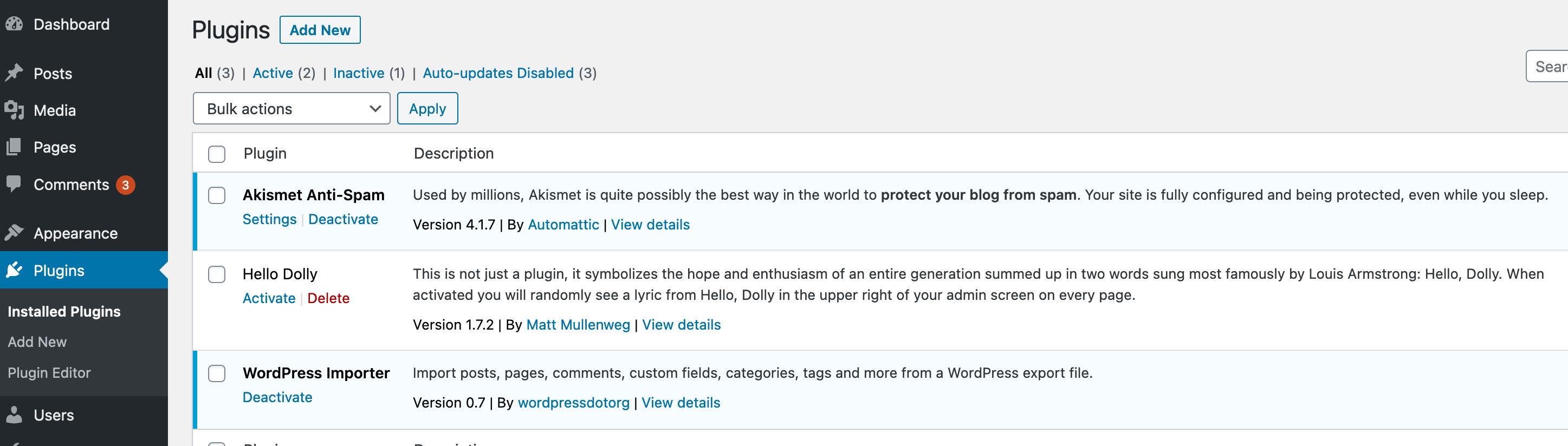
- Open Pages > All Pages and edit the affected page. Check that its content is still present without saving over it. For a builder page, confirm that the builder plugin remains active under Plugins > Installed Plugins.
- If one plugin changed immediately before the blank page appeared, record its version and test its deactivation on a staging copy. Keep the page builder active when testing builder output, or you remove the feature you are trying to check.
- Purge the affected page using the cache guide, then retest while logged out. Do not restart PHP or clear customer sessions merely because a page is blank.
- When several plugins are possible, follow the controlled conflict test. Record the result after each change so you can distinguish a repair from a temporarily disabled feature.
If the editor content or builder is missing
If the page's content is empty in the editor, stop plugin testing. Open the page's Revisions control and compare the saved versions with the last known working page. On staging, restore the appropriate revision and preview it before repeating that page-level recovery live. For builder content, use the builder's documented revision controls. If no usable revision exists, recover the page from a backup with help rather than replacing the entire live database.
When the builder is inactive, check with whoever disabled it and review any associated error first. Confirm a compatible version on staging, activate it under Plugins > Installed Plugins and preview the affected page. A builder disabled because it crashes the site needs a repair before live activation.
When the dashboard is blank too
Check the administration inbox and spam folder for a WordPress recovery email. Follow the private link, deactivate the plugin identified in the notice, then exit Recovery Mode and retest outside your logged-in session. The critical-error guide explains these steps in full.
Without a recovery email, ask your host for the PHP error at the time you opened the blank page. If the error identifies a plugin, use File Manager deactivation for that plugin. Avoid renaming the entire plugins folder on a shop simply to see what happens.
If the host cannot capture the error, follow our private logging procedure. Match the time and page to the recorded message. Memory exhaustion, syntax errors and permission failures require different repairs; a blank screen alone does not identify which one applies.
Recover the feature and test the original page
A page returning after deactivation narrows the investigation, but does not finish it. Keep the failing component disabled while its author confirms a compatible release or configuration change. Test that repair on staging. Use the rollback guide if a previous release is needed, including its database-compatibility checks.
Once the repaired component is active, open the original address while logged out, then check its mobile layout, links and forms. Verify the dashboard still opens and the original action no longer creates an error. Turn off temporary logging and reverse diagnostic changes that were not part of the repair.
Reference material
See WordPress troubleshooting guidance for recovery options and Recovery Mode for its session-specific behaviour.
Get help with the next step
If both the site and dashboard remain blank, ask BugShield to investigate the white screen. Send the affected address, recent changes and the host's error summary. A developer can assess the repair before further changes interrupt forms, orders or editing.