
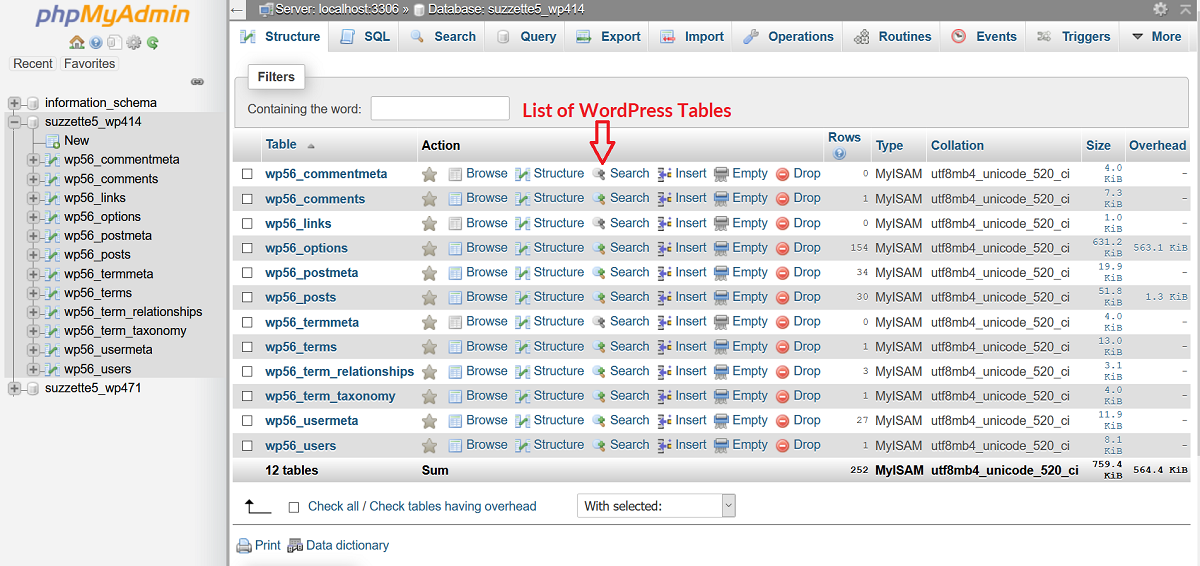
Check whether the database service is available
Record the exact error, affected address and time. Open the homepage and your normal dashboard address once. If the error comes and goes, record that too. Repeated refreshes will not correct the connection details and add requests while the service is struggling.
Sign in to the hosting account and check its service-status page and the site's storage quota. Ask support whether the database server is running, whether the account has reached a resource limit, and whether they can connect using this site's configured database user. If a service outage or quota is confirmed, follow the host's recovery instructions before changing WordPress.
Preserve the site's current files and request a database snapshot from the host. If exports still work, follow our manual backup guide. Do not delete tables or replace the database while investigating.
Compare the connection details after a move or password change
This check is particularly relevant if the problem began after a migration or database-password change. Open the affected site's directory in hosting File Manager, identified by its wp-admin and wp-content folders. Locate wp-config.php there or one directory above. Download a secure private copy before opening its text editor.
Find the four settings below and compare them with the database assigned to this website in your hosting panel. They are separate from your WordPress administrator login. Keep their values private; you do not need to send a screenshot of the whole file.
DB_NAME: the existing database containing this site's tables, including any hosting-account prefix.DB_USER: the database account assigned to that database, not your WordPress username.DB_PASSWORD: that database user's current password. A hosting panel can reset it but does not necessarily display the existing value.DB_HOST: the database server address supplied by the host. Do not replace it withlocalhostunless the host confirms that value for this installation.
Correct only a confirmed mismatch
- Ask the host to confirm the correct database and user before changing either. In cPanel, Databases > Manage My Databases lists databases and assigned users; older panels call it MySQL Databases.
- If a name or host value differs, replace only the text inside its existing quotes in
wp-config.php. Keep the setting name, quote marks and ending punctuation intact. Save and test the homepage once. - If the database password must be reset, first confirm whether other sites use that same database user. Arrange a coordinated change with support so those sites are updated too. Have the host update the configuration if the password includes characters you cannot safely represent in PHP.
- When the details match but access is denied, ask support to verify that the configured user is assigned to the intended database with the required permissions. Do not create a second empty database as a substitute.
Save a changed password in the configuration
After resetting the database user's password in hosting, update this site's DB_PASSWORD definition to the same new password, save the file and test the homepage. The host can handle this edit if the password requires PHP escaping. Update every other installation using that database account as part of the same change.
If an edit produces a new syntax or critical error, restore the private configuration copy immediately and have the host correct the edit. A restored file with the old password still needs the new database password before it can connect. Our configuration file guide explains where these settings belong.
Handle a damaged or missing database separately
A connection failure alone does not establish corruption. Ask for the exact database error. If the host identifies damaged tables, have them preserve a snapshot and choose a repair appropriate to the database engine. A repair command is not interchangeable with restoring missing data.
For a missing database or an incomplete migration, recover the correct export or backup using the restore guide. On a shop, account for orders and payments created after the backup before replacing data. If the site works between failures, ask the host to investigate connection limits and server health rather than repeatedly resetting the password.
Verify both reading and saving
Load the homepage and several inner pages in a private window, then sign in to the dashboard. Create and save a test draft to confirm the site can write as well as read data. Check recent content and orders against what you expect. Delete the test draft after the check.
If cached pages load while the dashboard still fails, the database problem is not resolved. Follow up with the host using the latest failure time. Once recovery is confirmed, keep the working connection details in secure storage and remove any public copies of configuration backups.
Reference material
See the WordPress database connection guidance and cPanel's Manage My Databases documentation. Your provider confirms the actual host address and account permissions.
Get help with the next step
If the connection details are unclear or the database contains live orders, ask BugShield for help with the database error. Share the error text and recent changes, keeping credentials out of the initial message. We can assess the recovery and confirm a price.