
Protect the site before trying a fix
The message There has been a critical error on this website means WordPress could not finish loading the page. It does not tell you which component failed or whether your content is damaged. Record the affected address, the time and the last change you made, such as updating Elementor or adding a code snippet.
Try your normal dashboard address in a new tab. If it opens, leave it open. Sign in to your hosting account separately and find its backup or restore-point screen. Keep a current copy as well as the last working backup; a full restore can replace orders and edits made since that backup. Our manual backup guide explains what needs saving.
Use the recovery email when it is available
Check the inbox and spam folder for the site's administration email address. WordPress can send a technical-issue email containing a private recovery link and the name of the failing component. Verify that the link points to your own domain before opening it, and keep the full link private.
- Open the recovery link and sign in with your normal administrator account. A Recovery Mode notice confirms that you entered the special session.
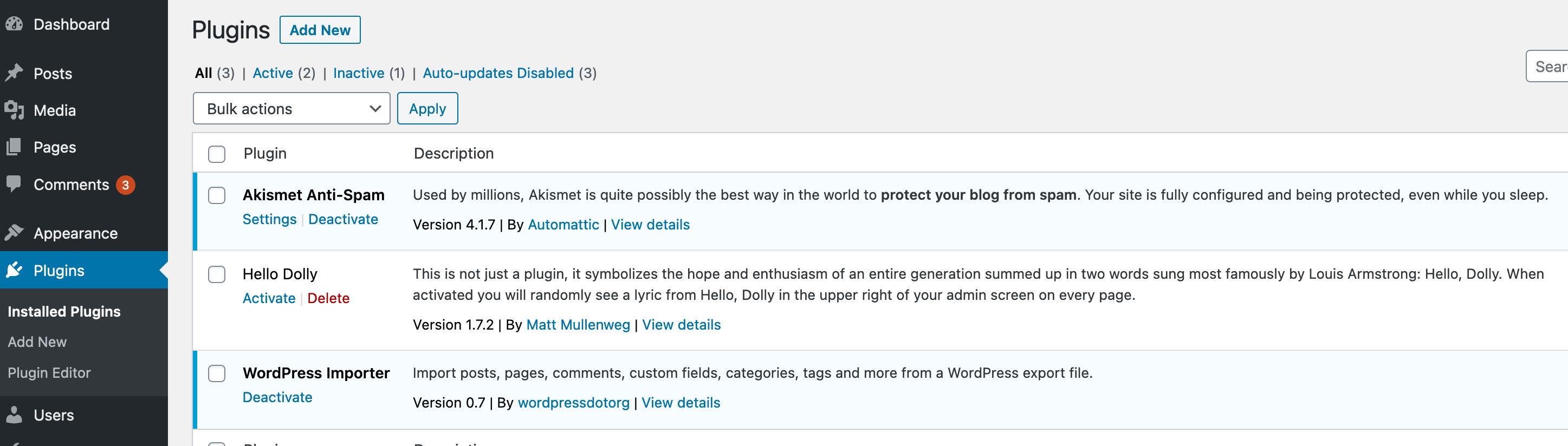
- Read the error notice. For an identified plugin, go to Plugins > Installed Plugins, find that plugin and choose Deactivate. Record its name and version first.
- When the notice identifies a theme, open Appearance > Themes and click Activate on an installed, suitable replacement. A theme change alters the design. Ask your host or developer if no suitable theme is available; follow the theme recovery guide if the dashboard cannot complete the switch.
- Select Exit Recovery Mode in the toolbar, then open the originally broken address in a private browser window. If it loads, continue to the repair section below so essential features are restored as well.
When no recovery email arrives
If the dashboard still opens and the error began immediately after a single plugin update, deactivate that plugin from the Plugins screen and repeat the failed action. When the dashboard is blocked, use your host's File Manager to rename only the identified plugin folder. Our deactivation guide covers finding the correct installation, recording the original folder name and restoring access.
If the cause is unknown, ask your host for the PHP error recorded at the time and address you noted. PHP is the software that runs WordPress on the server. Hosting panels can expose this information under Errors or Logs; the host can locate it when the menu is unclear. Request the relevant error, rather than sending them a complete database export.
An example path such as wp-content/plugins/example-plugin/file.php identifies code that was running when the failure occurred. It is a lead to investigate, not proof that the named plugin alone caused it. If the host needs a fresh reproduction, use our private debug logging guide before adding logging settings.
Choose the repair indicated by the evidence
Keep a plugin that causes the error disabled while you check its official support notes. A compatible fixed release can restore the missing feature. Test it on a staging copy, which is a separate copy of the site, before activating it for visitors.
- An allowed memory size exhausted message leads to the memory error guide. Confirm that message before increasing a limit.
- A parse or syntax error after a manual edit calls for reversing the damaged code change, rather than updating unrelated plugins.
- For a failure after a PHP change, ask the host and plugin author which supported PHP versions the installed release accepts. Avoid choosing an old version solely because an online example uses it.
- If a faulty update has no compatible fix, read the rollback checks before replacing files. Some updates also change stored data.
Confirm the site works outside recovery
Repeat the exact failed action, then check the homepage, an inner page and the dashboard. For an Elementor site, open and save a test draft. Submit a test form and, for a shop, complete a controlled checkout using the gateway's documented testing procedure. A working homepage alone does not confirm those features.
Record which component was changed and keep any affected feature unavailable until it passes its test. Turn off temporary logging using the logging guide, then remove its diagnostic file after securely retaining any evidence still needed.
Reference material
The recovery behaviour and file-access options are documented in WordPress Recovery Mode and the WordPress troubleshooting guide.
Get help with the next step
If the log is unclear, no usable backup exists or the failing component runs your shop, stop before broad plugin changes. Ask BugShield for help with the critical error. Share the affected page, timing and recent changes so a developer can assess the repair and confirm a price.