
Choose the next check from the evidence
For a checkout request refused with status 403, use the Cloudflare checkout investigation. Match the exact request before changing security rules.
Check whether the customer has already paid
Before asking anyone to try again, open WooCommerce > Orders and find their order. Read its notes, then compare the amount and transaction reference with your payment provider account. A failed confirmation screen does not prove that payment failed. If money was collected, resolve that existing order before creating another charge.
Write down the time, product, browser, payment method and exact message. Distinguish an empty cart from a checkout error: if products disappear before payment, start with our cart troubleshooting guide. If checkout displays correctly and only payment fails, use the payment gateway guide.
Reproduce the problem without changing the shop
Open a private browser window, add one in-stock product and enter a complete address in a region you serve. Stop before submitting payment. Check whether the address, shipping methods and totals appear. Repeat on a phone or a second browser. A problem limited to one device needs different investigation from a checkout that fails for everyone.
A message saying no shipping options are available needs the shipping checks. If payment options are missing, open WooCommerce > Settings > Payments. Confirm the intended method is enabled and its account connection is complete. Do not turn on test mode in the public shop to investigate a display problem.
Confirm that WooCommerce is using the right checkout page
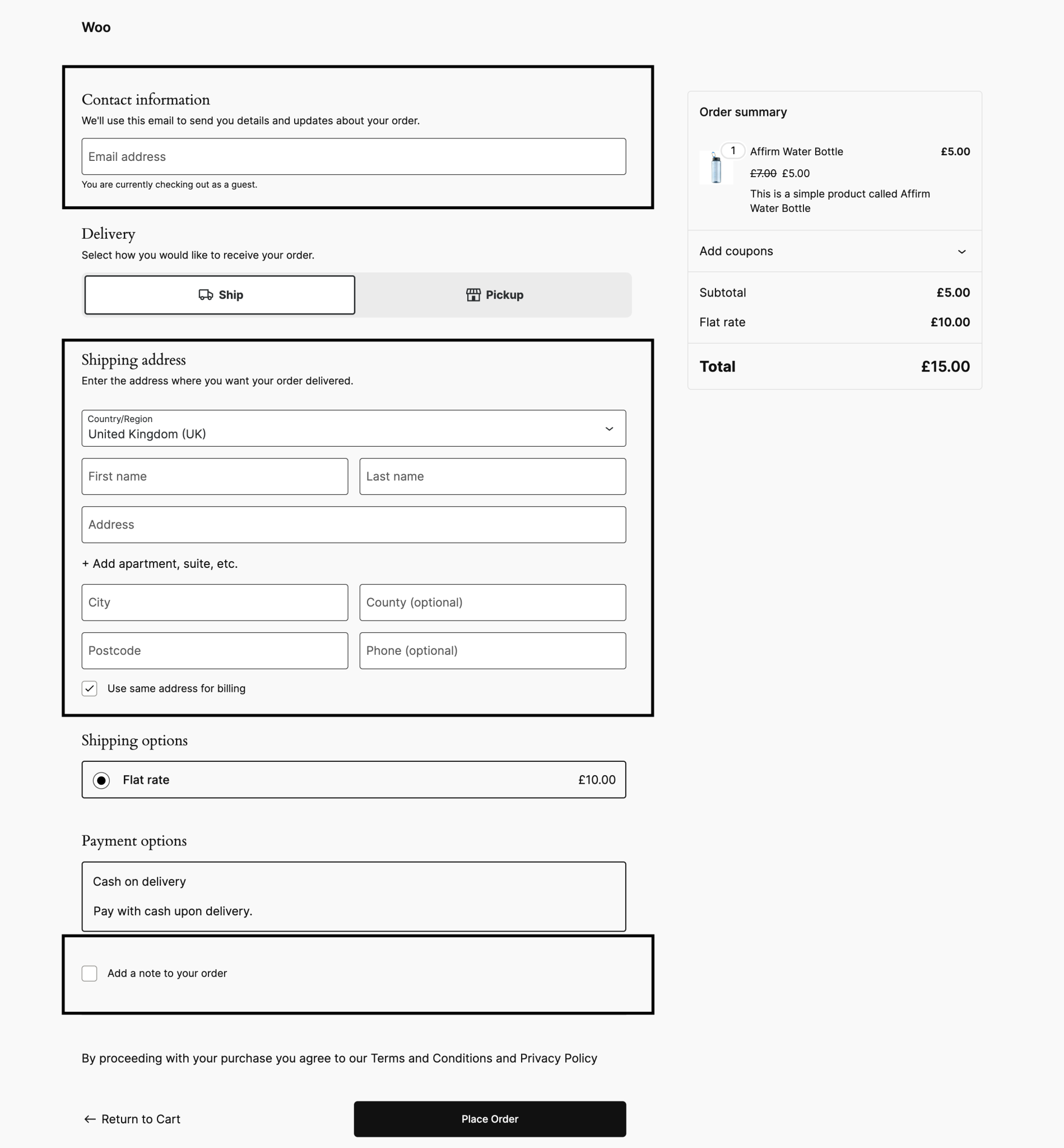
Visit WooCommerce > Settings > Advanced > Page setup and note the selected Checkout page. Open that page under Pages > All Pages. It must be published and contain checkout functionality, rather than just a heading or a link. Select the correct existing page in the settings if the assignment is wrong, save, then repeat your browser check.
In the WordPress editor, a Checkout block identifies block checkout; a Shortcode block containing [woocommerce_checkout] identifies classic checkout. Elementor can supply its own checkout widget. Check your gateway and checkout extension documentation for support for the format you actually use. Do not place a block, shortcode and builder checkout together on the same page.
If a recent redesign introduced the failure, restore that page's previous working revision on a staging copy first. WooCommerce explains block and classic checkout compatibility. Changing formats is a considered compatibility fix, not a required step for every checkout problem.
Check caching and secure page loading
A page cache saves a ready-made copy of a page. Checkout needs each shopper's current basket, so your cache must bypass it. Open your caching plugin's exclusions or never-cache settings and compare them with your actual cart, checkout and account addresses. Some products already add these exclusions. If hosting or a CDN also caches pages, ask the host to verify those rules too.
After correcting exclusions, follow our cache-clearing guide and start a fresh private-window basket. If the error began after enabling script delay, defer or combine settings, record them and disable that change on staging. Retest before changing anything else. A working checkout identifies a setting to exclude or adjust, rather than a reason to remove caching permanently.
Check that the checkout address begins with HTTPS and that the browser reports no certificate warning. For insecure-resource warnings or missing embedded payment fields, use the mixed-content guide. Do not change the domain or certificate settings without establishing which warning is present.
Test conflicts on a separate copy
Create a protected staging site and disable its real customer emails and live payment connections before payment tests. Record the active theme and plugins. Keep WooCommerce, the affected gateway and every extension needed for the test product active, such as Subscriptions for a subscription order.
Under Plugins > Installed Plugins, deactivate one unrelated plugin, repeat the same failing action, then restore it if nothing changes. Start with recent checkout, optimisation or consent changes. Test a standard WooCommerce-compatible theme on the copy if the plugins do not explain it. Restore the original theme afterwards. Follow WooCommerce's conflict-testing guidance for a broader isolation test.
If checkout still fails, open WooCommerce > Status > Logs. Select the fatal-errors or gateway log for the date of the failure and open it, then find entries at the recorded time. Share the relevant error privately with support, with customer details and secrets removed. An empty log does not establish that checkout is healthy.
Verify the repaired purchase journey
On staging, use the gateway's documented test mode and test payment details to place an order. Confirm the total, shipping, confirmation page and order record agree. Test a guest checkout and a signed-in customer if both are supported. Recheck the original failing product, device and payment method.
Apply only the confirmed fix to the live shop, preserving new orders and customers rather than replacing its database with staging. Verify the live payment connection and repeat the journey with one authorised real purchase if needed. Reconcile that payment before refunding the test order through the supported workflow.
Get help with the next step
If you cannot safely test a busy shop or the results are unclear, ask BugShield to investigate checkout. The failing step, affected order reference and checks already completed give us a useful starting point.