
Decide what must be retained before uninstalling
Read the plugin author's uninstall documentation. Look for a setting that controls whether data is retained or removed, and identify exactly what it affects. Export any needed form entries, settings, redirects, customer records or other plugin data before changing that setting.
Take a files-and-database backup and test removal on a staging copy. For a shop or membership site, confirm how historical records and recurring payments will be managed after removal. A plugin's disappearance from the list does not cancel billing at an external provider.
If you are only diagnosing a fault or replacing a plugin version, use deactivation or the rollback guide. Uninstalling can permanently remove data that those tasks need to preserve.
Replace the feature where it appears on the site
Find pages, templates and widgets that use the plugin. A form shortcode, builder widget or membership restriction can stop working when its provider is removed. Set up and test the replacement first, including any data migration documented by the authors.
Check dependent add-ons under Plugins > Installed Plugins and in the vendor's instructions. Remove or replace dependencies in the documented order. For a security, backup or email-delivery plugin, confirm the replacement protection or service works before withdrawing the old one.
Run the documented uninstall through WordPress
- While the plugin is still active, export needed data and select any documented uninstall-data option only after confirming its scope. Record what will be removed.
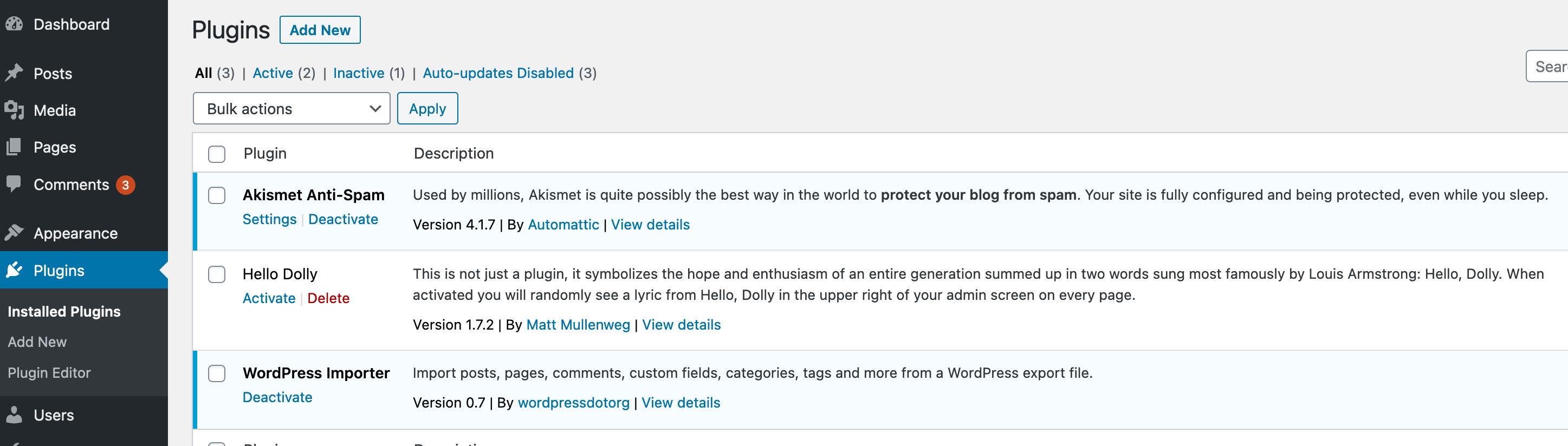
- Open Plugins > Installed Plugins, find the exact plugin and choose Deactivate. Test the replacement feature before proceeding.
- Select Delete for that inactive plugin and read the confirmation. Continue only when you intend its documented uninstall cleanup to run.
- Wait for the result, then confirm the plugin is absent from the list. If deletion fails, record the error and ask the host to resolve file access rather than applying broad write permissions.
Check leftovers using the author's instructions
Some plugins deliberately retain settings or records for future reinstallation. Ask the author for its supported cleanup procedure if complete removal is required. Database table names or option prefixes alone do not establish ownership; another extension can share that data.
Use the database cleanup guide for a backed-up review. Have a developer verify any remaining tables, scheduled jobs or generated files before removal. Do not run wildcard SQL deletes or remove everything that includes the plugin's name.
Deleting a folder directly through File Manager bypasses WordPress's normal uninstall process. If files were already removed that way, ask the vendor how to complete cleanup without unexpectedly recreating data. Must-use plugins and hosting integrations need the host's removal procedure.
Disconnect external services deliberately
Open the relevant vendor account to review the site's connection, API access, licence assignment and paid subscription. Disconnect or revoke access that is no longer needed after confirming no remaining integration uses it. Follow the provider's separate cancellation process when you intend to end paid service.
A payment gateway or subscription extension needs extra care: existing recurring charges can continue at the provider, or renewals can stop when the site integration is removed. Have the payment provider or a developer confirm the required migration or cancellation for those existing agreements before uninstalling.
Verify the site after removal
Open the pages that used the plugin while logged out and check for visible shortcodes, missing blocks or broken controls. Submit the replacement form or run the documented checkout test as relevant. Confirm the dashboard loads and the retained records are accessible where expected.
Review the host or replacement service logs for the next normal scheduled run. Apply the tested removal live with a fresh backup, then repeat the checks. Keep the export and backup according to your normal retention arrangements rather than deleting the recovery copy immediately.
Official reference
WordPress describes plugin uninstall methods. WooCommerce's uninstall documentation illustrates why removing files and removing store data are separate decisions.
Get help with the next step
If the plugin owns important records or leaves unclear database entries behind, ask BugShield to plan its removal. Tell us what must be preserved and which feature will replace it so the cleanup has a clear scope.