
Record the specific combination that fails
Open the product in a private browser window and choose every required option. Record the exact size, colour or other values, the displayed price and stock message, and what happens when you select Add to cart. Compare one working combination on the same product and one different variable product.
If only one combination fails, inspect its product data first. When every product's selectors stop responding after a design change, concentrate on the swatch or product-template integration. A colour appearing in a selector does not guarantee that every size in that colour is offered. Check the intended catalogue before creating combinations that you cannot supply.
Check the attributes used to define the product
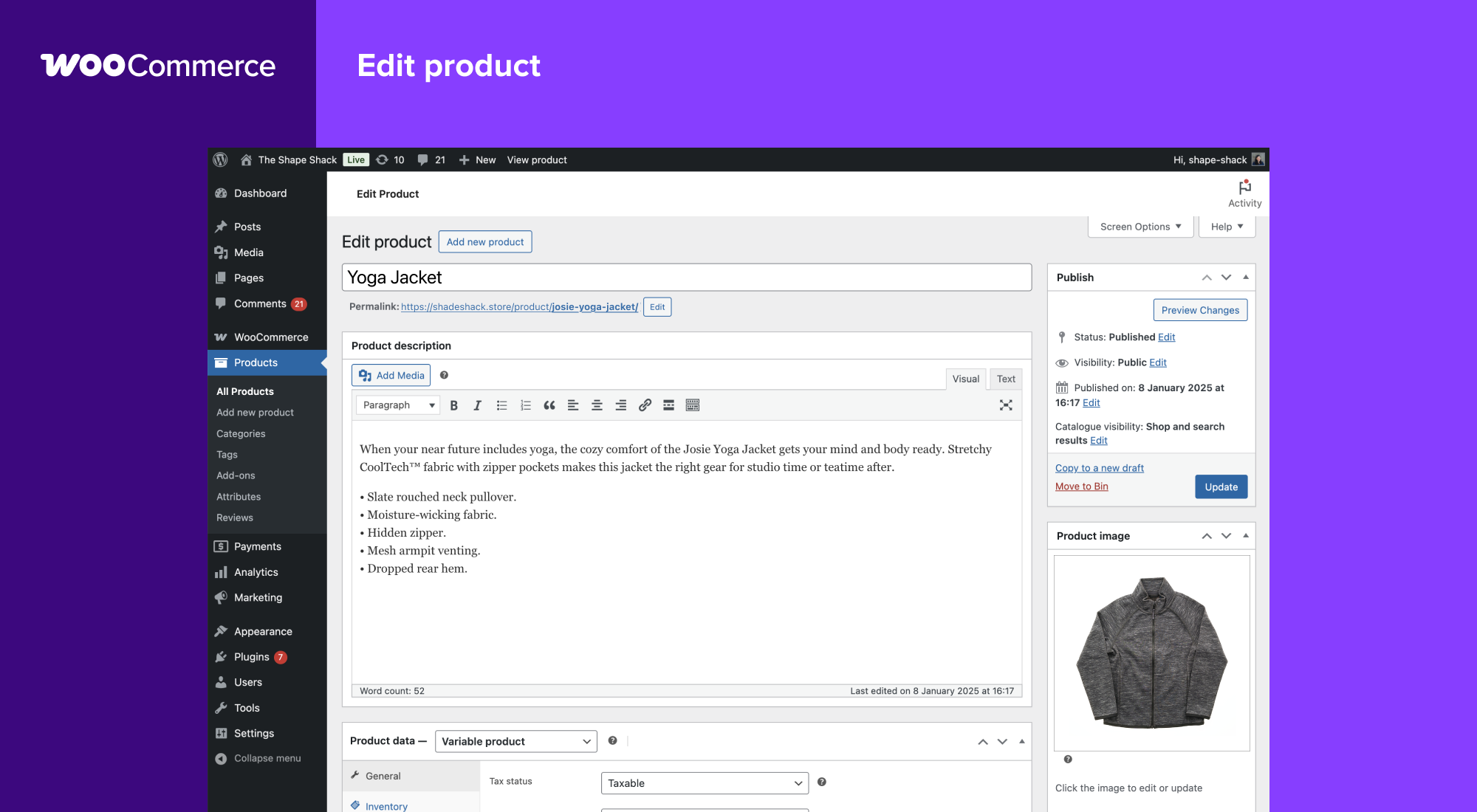
Under Products > All Products, edit the affected product. In the standard editor's Product data panel, confirm it is a Variable product and open Attributes. An attribute describes a choice such as Size; its values are the available choices such as Small and Large. Ensure the intended values are present and marked for use in variations, then save the attributes.
Global attributes are managed under Products > Attributes and can be shared by many products. Custom attributes belong to an individual product. Consult WooCommerce's attribute documentation before changing shared values. Renaming or removing a global value can affect more than this one item.
If the issue followed an import or attribute edit, compare the current values with the existing variation rows. Do not delete an attribute and recreate it just because its label looks wrong. Preserve a product export or backup and test the correction on a copy first, particularly when an external stock system depends on product identifiers.
Repair the affected variation row
Open Variations and locate the row for the failing combination, checking additional pages if necessary. Expand it and confirm its selected attribute values, Enabled setting and Regular price. A blank price is different from a deliberate zero price. Correct only values that disagree with the intended product, select Save changes, then Update the product.
If the required combination is missing, use Add manually and choose its exact values. Enter its price and correct stock details before saving. Avoid generating every possible combination to repair one missing row: that can create options the shop does not sell. The official variable-product guide shows the standard editor's variation controls.
A row using Any for an attribute is a broad match, so compare it with more specific rows if the wrong price or image appears. Ask the catalogue maintainer to resolve overlapping definitions when you cannot identify the intended record. Deleting and rebuilding all variations can change identifiers used by orders and integrations.
Confirm how stock is managed
Inspect Inventory at product level and the stock controls inside the selected variation. Establish whether stock is shared across the parent product or tracked for that particular option. Compare its quantity, stock status and backorder policy with real availability. A selector correctly refusing an unavailable combination is not a fault to remove by enabling backorders.
WooCommerce's product editor reference explains the inventory controls. If a supplier or inventory plugin manages the item, correct the source record or synchronisation problem as well. A manual stock edit that the next sync overwrites is not a lasting repair.
When the variation adds to the basket but loses shipping, inspect whether that variation is marked Virtual and whether its shipping data differs from the parent. Downloadable does not automatically mean Virtual. Use our shipping guide to test the actual delivery rule rather than changing the product type to make checkout continue.
Test the selector separately from the product data
After saving a data correction, clear the affected product's page cache using your cache provider's controls and retry in a fresh window. If the data is correct but selections still fail, create a protected staging copy. Compare the product using standard WooCommerce selectors without the optional swatch extension or custom builder template.
Keep WooCommerce and extensions essential to that product type active. Temporarily disable one optional display or optimisation component at a time and repeat the same combination. Our plugin-conflict guide explains how to record and reverse those tests. If standard selectors work, send the swatch or template provider the product setup and exact reproduction steps.
A stock message that appears after all options are selected can be part of normal availability checking. Do not add code to increase variation limits just because a large product behaves differently from a small one. Establish whether a valid, priced, available combination actually fails before changing how the site loads variation data.
Verify the selected item through to the basket
Retest the repaired combination and neighbouring options. Confirm each selection shows the intended price, image and stock message, then inspect the exact attributes and quantity in the cart. Test mobile controls too. You can verify those details without submitting a payment.
If the correct item appears on the product page but the basket shows something else, follow our cart troubleshooting guide. Apply the confirmed data or display fix to the live shop without replacing its orders database. Remove diagnostic changes and recheck an unavailable combination so the repair has not accidentally enabled products that are out of stock.
Get help with the next step
If variation records and the storefront no longer agree, BugShield can help trace the mismatch while preserving the product identifiers your shop already uses.