
Choose the next check from the evidence
For a failed or overdue notification task, follow the Action Scheduler guide before retrying the queue.
Identify the missing message and its order
Record the order number, time and the message that should have arrived. A New order notification goes to the shop's configured recipients; a Processing order message goes to the customer after the relevant paid-order transition. A Completed order email belongs to completion. Those notifications are not interchangeable.
Open WooCommerce > Orders, select the order and read its status and notes. An order left Pending payment has not reached the normal paid-order notification stage. If the provider has collected money but the order still waits for payment, use our payment-gateway guide. Do not mark an unpaid order paid merely to trigger an email.
Check the notification and recipient settings
Go to WooCommerce > Settings > Emails and open Manage beside the affected notification. Enable it if it was turned off unintentionally, then save. For shop notifications, check the Recipient(s) field for typos or an old employee's address. Customer messages use the order's customer email, so inspect the billing email on the affected order instead.
Review the From name and address on the Emails settings page. Use an address on a domain your sending service has authorised. Your shop's name in the display field does not authenticate an unrelated Gmail or Yahoo address. WooCommerce's email settings reference explains the individual notifications and sender fields.
Where your version offers Send a test email, send a preview to an inbox you control. A successful preview verifies that example's rendering and delivery, but does not prove a real order triggers the message. Record the preview result before testing the order workflow separately.
Determine whether WooCommerce handed the email over
Current WooCommerce documentation describes a transactional-emails source under WooCommerce > Status > Logs. Select the relevant date and inspect the order's entry. Sent means the message was handed to the mail system, not that it reached an inbox. Failed indicates a sending error; Disabled or Skipped points back to notification settings or a missing requirement.
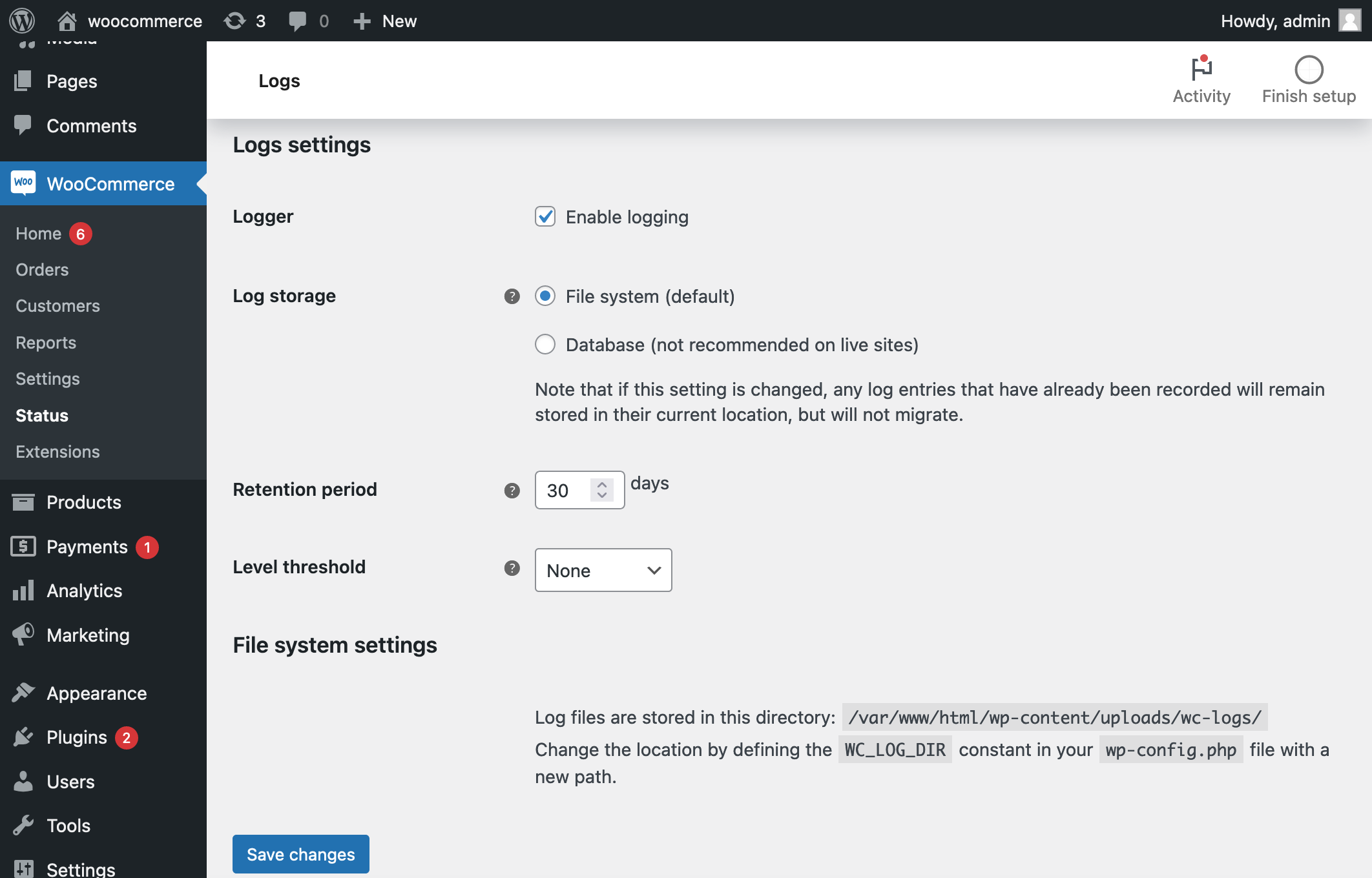
If expected entries are absent, open WooCommerce > Status > Logs > Settings. Ensure logging is enabled and its level threshold includes INFO and NOTICE entries. Older versions do not necessarily offer this source. Use your existing mail provider or SMTP plugin's delivery logs instead, and consult the official email troubleshooting guide for the available controls. An empty log is not evidence of successful delivery.
Record the timestamp, message identifier and error category without publishing the customer's details. An authentication failure needs the sending account repaired. A rejection or bounce needs its provider reason read. When there is no send attempt for a correctly configured order event, investigate the order transition or email customisation before changing mail providers.
Repair the shop's sending connection
If a sending plugin is already installed, open its settings and check its connection status before installing another. Run its test-email tool to an address you own. A failed connection needs the plugin's documented reconnect or credential update; a successful test narrows the investigation to the WooCommerce event or later delivery stage.
For a shop relying on the host's default mail handling, choose one supported sending service using WooCommerce's mail provider guidance. Create the provider account, verify your sending domain, and install its recommended WordPress integration through Plugins > Add New Plugin. Follow that provider's connection wizard and send a test message before relying on it for orders.
SMTP is a standard way for the site to hand mail to a sending server. If the integration asks for SMTP details, copy the server, encryption, port and credentials from the provider's instructions. These are not necessarily your WordPress login or normal mailbox password. Store credentials in the integration's settings and keep them out of screenshots and support posts.
Check authentication and the receiving inbox
Your provider's domain-verification screen supplies DNS records that prove it is allowed to send for your domain. SPF and DKIM are two parts of this authentication; DMARC tells receiving services how to handle messages that fail the domain's policy. Use the exact records supplied and ask the domain administrator to merge any SPF change with the existing record. Do not create a second SPF record or remove another legitimate sender.
Follow WooCommerce's sender authentication guidance and wait for the provider to verify the records. Then test delivery to two inbox services you control. Check spam, quarantine, mailbox rules and the provider's bounce or suppression list. A Delivered event means the receiving server accepted the message; inbox placement still needs checking.
Verify an actual order and restore missed communication
Place an authorised test order using your own email and a suitable test-payment setup. Confirm the intended order status, notification log, provider record and received message. Inspect the amount, links and formatting in the email. A custom email template that fails while the standard template works needs its own repair.
Use a staging copy to compare email customisers or other extensions, routing all test mail to controlled inboxes. Keep WooCommerce and the sending integration active during plugin-conflict checks. After the fix, contact affected customers or use the appropriate order email action individually. Avoid changing order statuses back and forth, which can trigger stock, access and extra notifications.
Get help with the next step
If the logs and inbox tell different stories, BugShield can help trace the missing order emails from the order event through to the sending service.