
Decide which work you can safely complete
A website owner can gather evidence, arrange containment, check known accounts and coordinate a restore. Identifying malicious PHP, reviewing database changes or removing a hidden route back into the server requires someone who can distinguish your site's legitimate code from an attack. Hand those parts to the host or a specialist when the distinction is unclear.
Keep a short incident record with the first observed symptom, time and timezone, affected addresses and recent changes. Include any host alert or Google warning. Avoid opening a suspicious destination or downloading a file that an unexpected popup asks you to install.
1. Contain the site and preserve evidence
Contact hosting support and report a suspected compromise. Ask them to restrict public access at the hosting layer while preserving a recovery route for you, retain access and error logs, and check other sites in the same account. A maintenance plugin or an index.html holding page does not prevent requests to every infected file.
Have the host preserve a complete snapshot of files and the database before cleanup. Our manual backup guide explains the two parts, but do not delay urgent containment to follow it. Label this copy as infected evidence, store it privately outside the web root and keep it separate from recovery backups.
Use a trusted, updated device to secure hosting and recovery-email accounts, remove unauthorised sessions through their supported controls and enable their two-factor protection. Preserve account details and logs before removal. If the server account itself is compromised, the host must contain it; changing a WordPress password cannot repair that boundary.
2. Choose a backup recovery or clean rebuild
Check the oldest evidence of compromise with the host, then look for a backup from before it. The date you noticed a redirect is not proof that yesterday's backup is clean. Restore a candidate into an isolated environment for inspection using the backup restoration guide; keep outgoing mail, payments and scheduled integrations disabled there.
List data created after that backup, especially orders, bookings and customer submissions. Have a specialist plan how to preserve and review those records without reimporting the entire infected database. Do not overwrite the live database simply to see whether an old copy looks better.
Without a trustworthy backup, arrange a clean installation built from WordPress.org and the original plugin and theme vendors, then transfer reviewed content and media. Keep custom themes, premium plugins and site-specific configuration available for comparison. Copying the entire old wp-content directory into the new installation defeats that review.
3. Use scan findings to identify work, not to approve deletion
Ask the host for the affected paths and its server-side scan results. If Wordfence is already available on the contained site, open Wordfence > Scan, run a scan and read each result's Details. Record incomplete stages, skipped paths and errors as unresolved coverage. A compromised WordPress installation cannot be the only trusted source of evidence.
For a modified WordPress.org file, View Differences compares it with the original. Repair replaces the whole file, including legitimate custom changes, and is only available for supported core, plugin and theme files. Preserve the file first and use Repair only when its owner confirms replacement is appropriate. Do not select a bulk repair or delete action just to clear the report.
An unfamiliar filename, a recent modification date or a function name such as base64_decode does not by itself prove malware. Ask a developer to inspect findings you cannot explain. Premium and custom code need comparison with trusted vendor packages or your own known-good source.
4. Recover files and review stored content
Have the recovery operator replace affected software with complete trusted file sets and remove confirmed malicious additions. Overwriting known files alone can leave extra files behind. Keep the site's configuration and uploads separate from the replacement plan, and review server rules, must-use plugins and scheduled jobs as well as ordinary plugins.
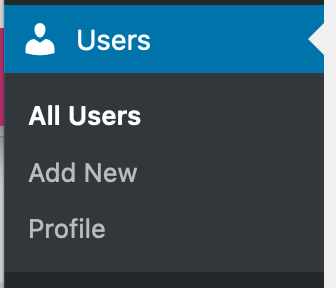
Inside the recovered dashboard, check Users > All Users against your expected users and roles. Review recent pages, posts, menus, widgets and Elementor custom code for changes your team did not make. Preserve evidence of an unauthorised account before removing it and decide what should happen to its content.
A database finding needs review in context. Do not run a global SQL deletion for suspicious words or empty the options table. Ask the specialist to identify which feature owns the affected record and repair the particular value, including any related injected content. Check registration settings and the new-user default role if they were changed.
5. Close the entry point and replace affected secrets
Ask for a documented cause supported by logs or other evidence. Update vulnerable software to a supported fixed version, or remove the affected component if no fix exists. Follow the safe plugin update procedure before reopening. If the original route remains unknown, record that uncertainty and agree additional investigation and monitoring.
After the environment is clean, replace affected WordPress, hosting, SFTP and email passwords, including any changed during containment. Have the host coordinate a database-password change with wp-config.php so the site keeps connecting. Revoke unauthorised application passwords and API keys, then reconnect legitimate services using new credentials where needed.
Rotate the WordPress keys and salts to invalidate existing login cookies, and set up two-factor authentication for dashboard users. Cookie invalidation does not remove malware or revoke every integration credential.
6. Verify recovery before reopening
Repeat server and application scans, investigate every remaining result and confirm the previously affected addresses behave correctly. Check signed-out pages, mobile views, forms, login and checkout with approved test transactions. Review the account list and ask the host to confirm that unexpected files or scheduled tasks have not returned.
When the recovery operator confirms the agreed checks are complete, remove the temporary restriction and monitor logs, file changes and account activity. Keep a fresh backup of the recovered site. A recurrence means the investigation is unfinished, so contain it again rather than repeatedly deleting the same visible symptom.
For a Google warning, open Search Console > Security issues and follow the reported issue's review process after all affected pages are repaired. Explain what was found and fixed. Google controls its review timing; clearing a local scan does not remove the warning automatically.
Official references
WordPress outlines hacked-site recovery and security hardening. Wordfence explains scan result actions and their limits, and Google documents the Security issues review process.
Get help with the next step
If you cannot establish which files or records are trustworthy, ask BugShield for help with the cleanup. Share the host's report, affected addresses and available backup dates so recovery can start from evidence.