
Decide whether a complete block is appropriate
XML-RPC is a way for external software to send commands to WordPress. Its endpoint is the xmlrpc.php file in the WordPress installation. Dashboard editing and the REST API are different routes, but a connected service can depend on XML-RPC even if you never open that file yourself.
Check Jetpack, mobile publishing apps, remote management and older integrations with their providers. If a required service needs the endpoint, do not follow a deny-all procedure. Ask the host or service provider for a supported narrower restriction or rate limit instead.
1. Record the current behaviour and recovery route
List the connected services you use and verify a normal action in each before the change. Record the current hosting or security-plugin XML-RPC setting. Take a backup and keep hosting access available.
For a standard root installation, add /xmlrpc.php to your usual website address; include the WordPress installation subdirectory if there is one. Opening that endpoint in a browser can display XML-RPC server accepts POST requests only. That means the handler answered a normal browser visit; it does not demonstrate that XML-RPC is disabled. POST is the request method remote clients use to submit commands, so the final check must cover that method too.
2. Use the host's supported blocking control
In the hosting panel, inspect the site's security or WordPress controls for an XML-RPC restriction. Read its description before enabling it: blocking all endpoint requests is different from disabling authentication or pingbacks only. Record the setting, enable the intended restriction and continue to verification.
If no clear control exists, ask support: Please block all external requests, including POST, to this installation's xmlrpc.php endpoint. We have confirmed that our required integrations do not use it. Please verify the block and tell us how to reverse it. Include the actual installation path if WordPress runs in a subdirectory.
On Nginx or a managed platform, have the provider use its supported server configuration. Do not create an Apache configuration file and assume that a different server will read it.
Alternative: apply a confirmed Apache 2.4 rule
Use this alternative only after the host confirms Apache 2.4 and that the following access rule is allowed in this site's .htaccess. In hosting File Manager, show hidden files and find .htaccess beside this installation's wp-admin folder. Download an untouched private copy before editing.
Add the block outside the automatically managed WordPress BEGIN/END section. Preserve all existing rules. If a rule for xmlrpc.php already exists, ask the host to reconcile it instead of stacking a second rule. This server configuration does not belong in a PHP file or page editor.
<Files "xmlrpc.php">
    Require all denied
</Files>3. Verify the result without exposing credentials
Open the endpoint again in a fresh browser window. A server denial such as 403 is consistent with the full block. Ask the host to verify a POST request is also denied before reaching WordPress, using a harmless test without account credentials. A successful GET denial alone does not establish every method is blocked.
Check the homepage, dashboard login, an ordinary page edit and each connected service from your list. If a required integration fails, undo only this new restriction and retest it, then arrange a narrower supported policy. Do not leave a needed service silently disconnected.
Keep the setting documented and review it after changing hosts or security tools. If security reports motivated the change, also check account access and dashboard two-factor authentication. An endpoint block does not protect every other login route.
Understand partial plugin restrictions
The WordPress xmlrpc_enabled filter controls methods that require authentication. It does not disable pingbacks or every unauthenticated method. A plugin using only that filter can provide a useful narrower control, but describing it as a complete XML-RPC block would be incorrect. Check the plugin's documented behaviour and test the specific outcome you need.
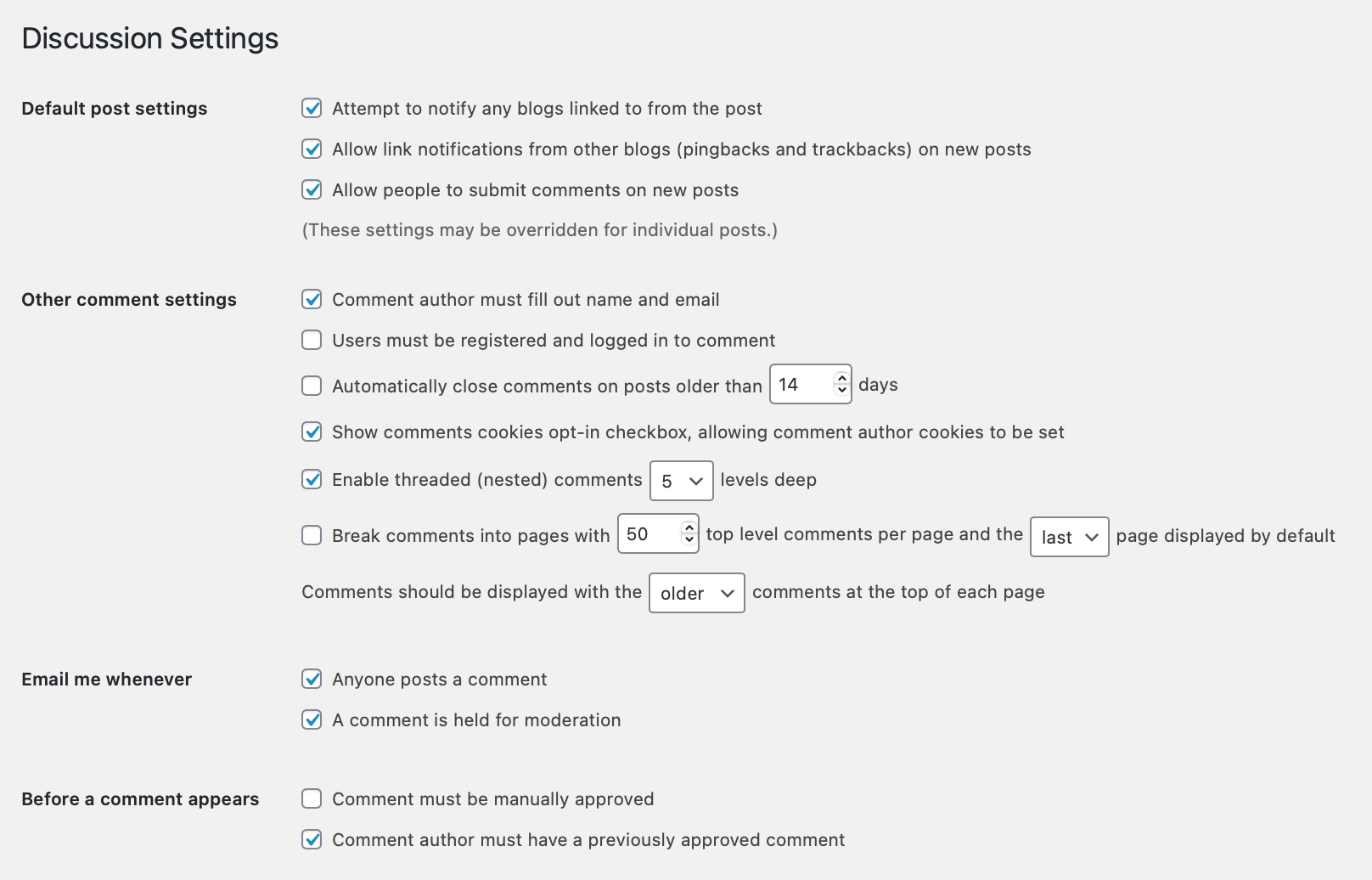
The Settings > Discussion option for link notifications is narrower too. It controls whether new posts accept pingbacks and trackbacks, which are notifications of links from other sites. Individual posts can override the default. Unticking that box does not block all requests to xmlrpc.php.
Official references
WordPress documents the limits of xmlrpc_enabled. Apache explains Require access rules, while Jetpack lists connection requirements and conflicts.
Get help with the next step
If you need to reduce unwanted requests while keeping a connected service working, ask BugShield to help review the security setup. Tell us which integration relies on the endpoint so the restriction can match the actual requirement.