
Make sure this is a redirect problem
An Incorrect password message needs password recovery. A two-factor code prompt or a security lockout is a different control, not proof that the password failed. Record the exact message before changing anything.
Use the site's known login address, including a custom address if a security plugin changed it. Note whether the browser switches between HTTP and HTTPS, between www and the main domain, or back to the same login form. These observations help distinguish the next checks.
1. Compare browsers before changing the website
- Open a private window and enter the known HTTPS login address directly, rather than following an old bookmark. Sign in once with the intended username and password.
- If it works there, return to the original browser's privacy settings and remove cookies and site data for this domain only. This signs you out of that site and can clear its saved cart, but does not delete WordPress content.
- Close the site's tabs, reopen the login address and try again. Ensure the browser permits this site's necessary cookies; WordPress uses them to remember authentication.
- If the private window also fails, compare another browser or device. Browser extensions and strict privacy settings can still affect testing. Ask another administrator to try their own account without sharing passwords.
2. Check that login requests are not cached
If the failure affects several users or began after a cache change, inspect the hosting, CDN and cache-plugin settings. Login, administration and logged-in responses must not be served as a shared cached page. Ask the host to confirm the exclusions for wp-login.php, wp-admin and any custom login route.
Use the cache-clearing guide to purge the affected cache after correcting its rules. If dashboard access is unavailable, use the hosting panel's cache control. Do not disable a firewall just to clear cached HTML. Test the login again before continuing.
3. Review a recent domain or HTTPS change
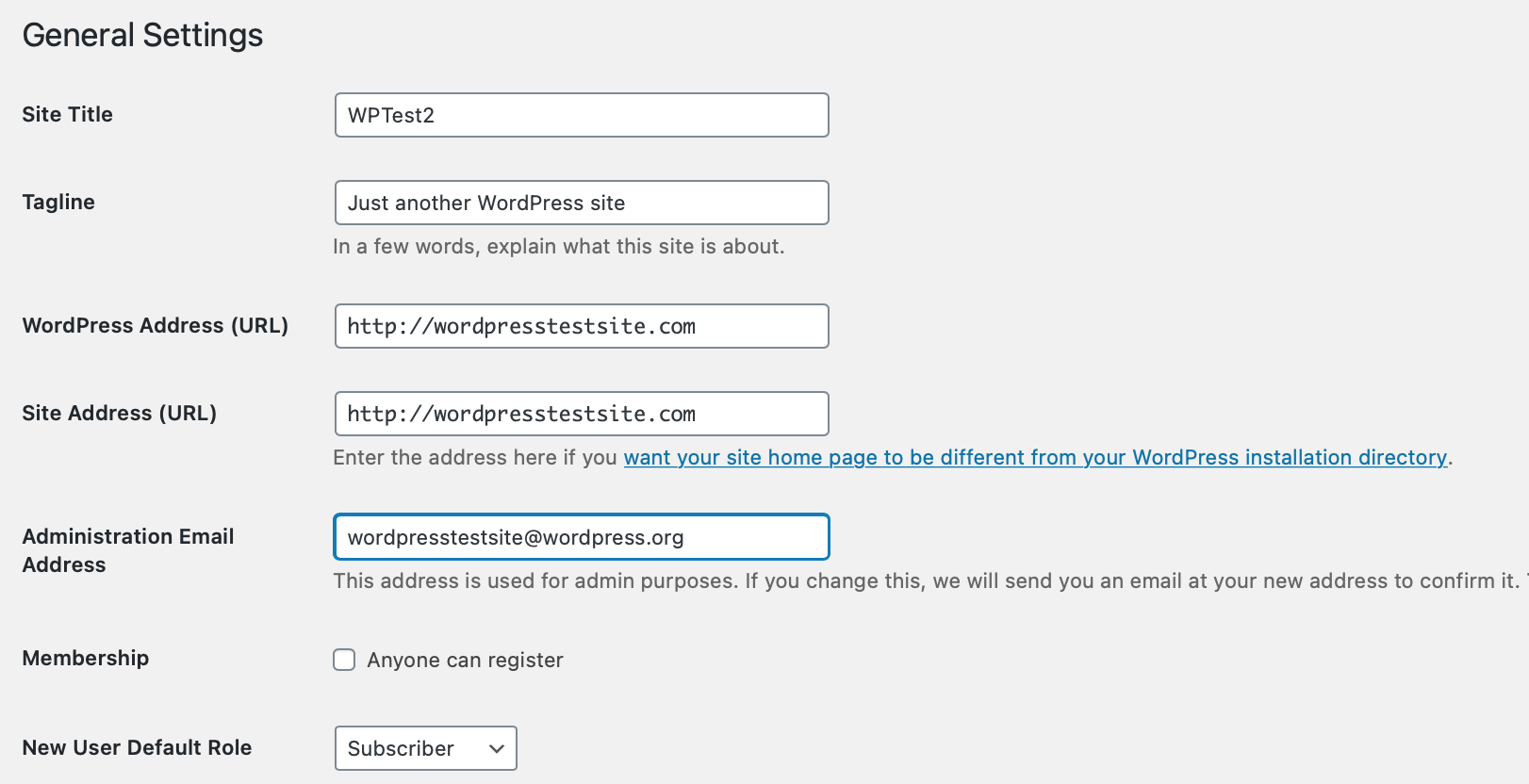
If another administrator can still enter the dashboard, ask them to inspect Settings > General. WordPress Address and Site Address should contain the intended hostname, HTTPS scheme and installation path. They can intentionally differ when WordPress lives in a separate directory. Compare them with the recorded pre-change values rather than making them identical by default.
When nobody can sign in, ask the host to inspect the matching database values and any WP_HOME or WP_SITEURL overrides in wp-config.php. Give them the actual start address and the observed destination. A domain typo or stale override needs a targeted correction, not a new pair of example constants.
For HTTP-to-HTTPS bouncing, follow the redirect guide. Cloudflare Flexible mode and an origin that forces HTTPS can conflict. Ask the host to verify HTTPS detection behind its proxy; do not add code that blindly trusts incoming proxy headers.
4. Test a recent login or redirect plugin change
If the problem began immediately after changing a login, membership or redirect plugin, save a current backup and record its settings. If dashboard access remains available through another administrator, undo that specific setting first and retest.
Without dashboard access, follow the single-plugin file recovery procedure for the identified plugin. Temporarily disabling a security plugin also removes its protections, so coordinate a short test with hosting support and restore the protection promptly. Do not rename the entire plugins directory on a shop just to test one suspected login rule.
If access returns, open the Plugins screen, restore the original folder name as directed and keep the suspect plugin inactive until its settings or update have been investigated. If nothing changes, restore the original state and give the host the result. A failed test does not justify leaving security disabled.
5. Verify a complete login session
Sign in from a fresh browser window, open two dashboard screens and edit a draft without publishing it. Then sign out and sign in again. Check the public site still works and that any temporarily changed security or cache controls are back in their intended state.
If only one account still fails, investigate its role, two-factor configuration and account-specific plugin rules. For continuing site-wide failures, give support the browser results, redirect addresses, timestamps and last change. Private error logging can help when the login request also triggers a PHP error.
Official references
WordPress explains how authentication cookies work. Cloudflare documents HTTPS redirect conflicts.
Get help with the next step
If you still cannot maintain a login session, ask BugShield to help recover access. The addresses involved and the results of the browser comparison give us a useful starting point without needing your password in a message.