
Know which account you are protecting
An authenticator app generates a short code that changes with time. The setup screen calls this TOTP, meaning time-based one-time password. Someone who knows only your password cannot complete this second step, but a phishing site can still trick you into sharing a current code. Open your saved login address directly.
Two Factor requires individual enrolment. Installing it does not automatically protect every user, and its interface does not enforce enrolment by role. If your business needs mandatory 2FA, choose a product with documented enforcement and recovery controls instead of assuming this setup provides them.
1. Prepare before changing the login
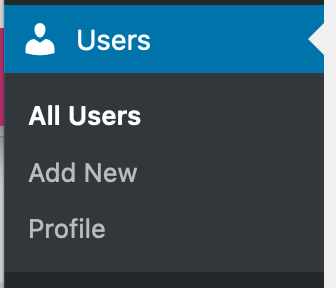
Confirm your password works and your account email is correct under Users > Profile. Keep your hosting login available and take a current backup. For a customised login or membership site, test the setup on a protected staging copy first.
Use an authenticator app you trust, obtained from its official app store listing. Check that your phone uses automatic date and time. Open the WordPress login over working HTTPS; resolve any certificate warning before entering passwords or scanning a setup code.
Check whether your existing security plugin already provides two-factor authentication. Use one supported login protection setup, because two competing challenges can make recovery harder. These instructions describe Two Factor specifically; other plugins have different controls.
2. Install Two Factor and connect your app
- Open the official Two Factor listing to identify the plugin. Install its current compatible release using our plugin installation guide, then activate it.
- Go to Users > Profile and find Two-Factor Options. Select the authenticator app method. Older screens can label it Time Based One-Time Password.
- In your app, add an account and scan the QR code on the profile screen. If scanning is unavailable, use the manual setup key shown there. Keep both private; either can allow someone to generate your codes.
- Enter the current app code in the verification field and use the verification control. Choose the authenticator method as Primary, then click Update Profile. Keep this browser session open while preparing recovery.
3. Save backup codes outside the website
In the same Two-Factor Options section, enable Backup Codes and generate a set. Store the codes in a secure password manager or a printed copy kept somewhere private. Save the profile again and confirm both the authenticator and backup method remain enabled.
Each backup code is for one successful use. Generating a replacement set invalidates the previous set, so update your stored copy at the same time. Do not keep the only copy on the phone you need to recover from, in your Media Library or in a shared support ticket.
Treat the QR code and recovery codes like passwords. A screenshot containing them is unsuitable for an installation guide or support request. If you shared one accidentally, replace that secret before relying on it.
4. Test both ways in without closing your session
Open a private browser window and visit your normal login address. Enter your username and password, then the current app code. Confirm the dashboard opens. A test in your already signed-in tab does not test the second-factor challenge.
Sign out of the private window and repeat the login, choosing the backup-code option on the challenge screen. Use one saved code and mark it as used afterwards. Keep the original session available until both tests succeed.
For rejected app codes, check the selected account in the app and automatic time on the phone. Wait for the next code and retry once. If setup still fails, use the open profile session to correct it and check the plugin's support guidance before involving other users.
5. Help other users enrol and agree recovery steps
Review the accounts and roles on your site. Each person should connect their own app and privately save their own backup codes. Ask them to confirm a successful fresh login, without sending you their codes.
If a user loses every method, an authorised administrator can open Users > All Users, edit that person's profile, clear the enabled Two-Factor methods and select Update User. Verify the person's identity through an established channel first, then have them enrol again promptly. For a sole administrator locked out without recovery codes, contact the host or your support provider with proof of ownership.
Protect your hosting account and email separately. Review application passwords and connected services as well; an app-code login test does not verify every integration's access policy. If you are considering blocking a separate integration endpoint, follow the XML-RPC guide to check dependencies first. Keep the plugin updated and repeat the recovery review when a team member or device changes.
Official references
See the Two Factor setup instructions, recovery controls and enforcement limits. The project also publishes its authenticator setup and backup-code behaviour.
Get help with the next step
If you need help testing a customised login or planning access for your team, ask BugShield to review your account security. We can help identify a suitable recovery process before a lost device becomes a lockout.