What the WordPress 7.1.3 security release changes
WordPress recommends updating immediately because 7.1.3 is a security release. Patchstack, which reviewed the fixes in detail, advises updating as soon as you can while describing the release as something other than a drop-everything emergency. Both views fit together once you see what each flaw needs: the comment-feed leak needs nothing beyond reaching the feed, the comments XSS needs a visitor plus a moderator's click, three fixes need a Contributor or Author account, one needs an administrator to run an export, and the last depends on a plugin.
The release follows 7.1.2, which fixed a local file inclusion flaw, tracked as CVE-2026-87902, that Patchstack says could lead to remote code execution under the right PHP configuration. If you skipped that update, installing 7.1.3 brings both sets of fixes in one step. Neither source reports exploitation of the 7.1.3 issues.
Two fixes begin with a visitor who has no account
A comment feed leak is the simpler of the two. On single-post comment feeds, WordPress loaded a post's comments before checking whether the visitor was allowed to see that post. The post itself was then hidden, yet its comments were still printed in the feed, which Patchstack's review confirms. Comments on private and unpublished posts could therefore have been readable through the feed before you updated.
Stored cross-site scripting, known as stored XSS, accounts for the other: an attack that saves harmful code somewhere a trusted user later triggers it in their own browser. Here, a visitor without an account leaves a pending comment containing a crafted link, but that alone achieves nothing. The attack also needs a moderator with Editor rights or higher to click the link on the Comments admin page, and the crafted markup has to sit inside a wrapper carrying the contextual-help-tabs class. Patchstack places this pending-comment route in versions 7.1.0 to 7.1.2, because 7.1.0 added the formatting support the attack relies on. According to Patchstack, the older backports harden the same code, though WordPress describes those backports as still in progress.
Installing 7.1.3 is the actual fix. Until every site you manage is on it, have moderators approve or delete pending comments based on the text they can read, without clicking links inside them. Treat that habit as a sensible precaution while you schedule the update, not as a substitute for it.
Three fixes need a Contributor or Author account
The next three fixes need someone logged in with a Contributor or Author role. Reviewing those accounts alongside the update is a sensible step, particularly where they belong to guest writers, former staff or old agency logins.
By pointing the block editor's link preview at a page they controlled, a Contributor was able to trigger a denial of service, meaning an attack that makes a site slow down or stop responding. Patchstack explains that a loop inside WP_Http::make_absolute_url() never exits when it meets certain relative paths, so the code keeps running instead of returning a result.
Embedded content accounts for the next fix, which both sources list as Imgur embeds vulnerable to XSS. Imgur sat on the WordPress trusted embed list, so whatever Imgur's API returned was printed directly onto the page instead of being reduced to a sandboxed frame. Patchstack notes that the response includes text the uploader controls, for example from their own image or album, which meant attacker-controlled content reached the page unfiltered. The attacker here needs Contributor access or higher, and Patchstack lists one further condition: a target has to view that page for the attack to land. Version 7.1.3 removes Imgur from the trusted list.
Last in this group comes a smaller permissions slip. Authors were able to make posts sticky, pinning them to the top of the blog, through the REST API, because the check passed for anyone holding the publish_posts capability, which Authors have. The fix tightens that capability check, and neither source describes any impact beyond making posts sticky.
One fix needs an admin export and one depends on plugins
The WXR export is the file produced by Tools > Export. A second-order SQL injection, where bad data already stored in the database is later run as part of a query, affected how that export collected featured-image IDs. Exploiting it needs an administrator to export a single content type while a malicious _thumbnail_id value already sits in the database. The default All content export does not reach the vulnerable code, and the code only exists from 6.5.0 onwards.
The final fix is hardening. WordPress builds some action names from a post's status and type, so publishing a post fires publish_post. A plugin passing raw values into wp_insert_post() could create a post whose status and type combined into an unrelated action. Patchstack's example is a post saved with the status delete and the type post, which fires delete_post, so any callbacks hooked to that action run as if a post had been deleted. WordPress 7.1.3 only fires these hooks when the status and post type are registered. Your exposure here depends on the plugins you run, and the update closes the gap either way.
Update-and-audit checklist for WordPress 7.1.3
Work through these steps in order and keep a note of what you checked on each site. After updating, Patchstack advises clearing the site cache, and it notes that the update leaves oEmbed data already stored in the database as _oembed_* post meta and oembed_cache posts in place.
Because that stored data survives, we recommend going a step further than Patchstack's advice: clear every cache layer, including any host or CDN cache you use, so visitors receive fresh pages, and ask a developer or your host to check and remove the stored data behind any suspicious Imgur embed. Alongside the update, review who holds Contributor or higher roles.
- Take a backup you know you can restore, then go to Dashboard > Updates and update to 7.1.3. If the site has automatic background updates, confirm the installed version on that screen instead of assuming the update has run.
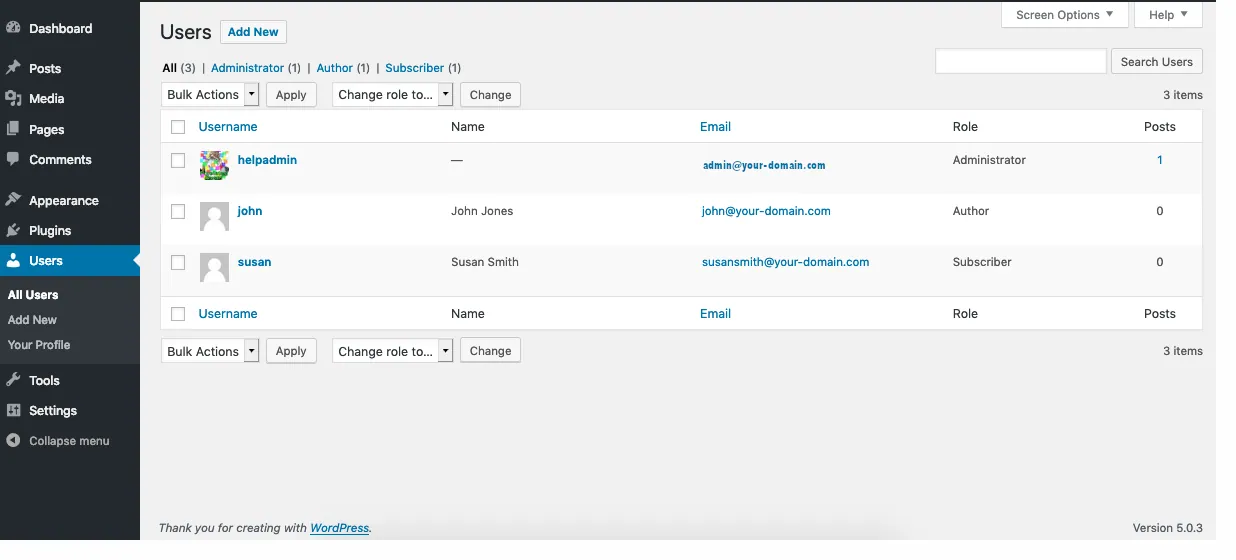
- Open Users > All Users and filter by Contributor, Author, Editor and Administrator. Remove or downgrade any account that no longer needs that level of access.
- Clear your site's cache, as Patchstack advises, along with any server cache from your host and any CDN cache your site uses.
- Review posts that embed Imgur content, starting with any added by Contributors you do not fully trust. Patchstack says the existing embed keeps rendering after the update, so have a developer or host remove its stored data.
- For sites on older WordPress branches, check whether a backport for that branch has shipped, and plan a move to the current version.
Older branches and backports
WordPress backports security fixes, as a courtesy, to every branch still eligible for them, which currently reaches back to 4.7. Only the most recent version is actively supported. As Patchstack reported on release day, backports had shipped through the 6.6 releases while branches 4.7 to 6.5 were still waiting, and WordPress said the remaining backports would ship as they became ready.
A site pinned to an older branch because of a plugin or theme dependency needs two things: a check of Dashboard > Updates for a new minor release on its branch, and a plan to reach the current version. If your branch is still waiting for its backport, start that plan now.
How to confirm the update worked
Open Dashboard > Updates and check that it reports WordPress 7.1.3 as installed. The screen confirms the code running now, and it says nothing about whether anyone used one of these flaws before you updated.
To look beyond the version number, check for signs of misuse: unfamiliar accounts in Users > All Users, posts you did not expect, or Imgur embeds from unknown authors. A past read of the comment feed leaves nothing in the dashboard, so no check there can show whether comments on private posts were seen. Finding nothing is reassuring, but an empty result does not establish safety on its own. If you spot an administrator you did not create, our guide to how hidden admins were created in a recent plugin attack explains how to check for rogue administrator accounts.
Core releases do not fix plugin flaws, so finish by running your plugin list through our vulnerability lookup using each plugin's slug and installed version. Treat any result it returns as a record to act on, and an unknown result as a gap rather than a clean bill of health.
Sources
WordPress 7.1.3 security release FAQs
Is WordPress 7.1.3 an emergency update?
WordPress recommends updating immediately because it is a security release. Patchstack advises updating as soon as you can but does not class it as a drop-everything emergency. The comment-feed leak needs nothing beyond reaching the feed, the comments XSS needs a visitor plus a moderator's click, three fixes need Contributor or Author access, one needs an admin export and one depends on a plugin. Neither source reports exploitation.
Will automatic updates install WordPress 7.1.3 for me?
Sites that support automatic background updates begin the update on their own. Starting is not the same as finishing, so check the installed version on Dashboard > Updates to confirm 7.1.3 is in place.
Does clearing my cache remove a malicious Imgur embed?
Clearing your site's cache is the step Patchstack recommends after updating. Patchstack also notes that the update does not remove oEmbed data already stored in the database as _oembed_* post meta and oembed_cache posts, and that a malicious embed saved before 7.1.3 keeps rendering. Review posts with Imgur embeds as well, and ask a developer or host to remove the stored data behind any suspicious ones.
My site runs an older WordPress branch. Is it protected?
On 6th October 2026, backports had shipped through the 6.6 releases, while branches 4.7 to 6.5 were still waiting. WordPress says those backports will ship as they become ready. Check Dashboard > Updates for a new minor release on your branch, and plan a move to the current version.
Which user accounts should I review after updating?
Review everyone with Contributor, Author, Editor or Administrator roles under Users > All Users. Three fixes involve Contributor or Author access, and the comments XSS relies, among other conditions, on an Editor or higher clicking a link, so remove or downgrade any account that no longer needs its current role.